We test, compare, and review—so you can choose with confidence. No bias, no sales desk, just measured guidance.
 9.4
9.4 Ignore the noise and fanfare — we’re yet to find a better VPN service than ExpressVPN. It’s incredibly easy to use, its impact on your internet speeds is negligible, and it keeps your connection private and secure at all times. While ExpressVPN is slightly more expensive than many of its rivals, it’s absolutely worth the extra cost.
 9.2
9.2 NordVPN is the jack-of-all-trades VPN. It costs a little less than ExpressVPN, has leading privacy and security features, and it’s packed with features that are useful for both beginners and power users. While its usability has room for improvement, if you’re on the fence about which VPN to get, NordVPN is a great choice.
 9.0
9.0 Private Internet Access (PIA) offers the best value for money of any VPN we review, including NordVPN and ExpressVPN. It costs just $2.03 per month on a two-year plan, which is 49% cheaper than the industry average, without compromising on quality. At this low price, you get access to a proven no-logs, highly customizable VPN that can be used on an unlimited number of devices for streaming, torrenting, and gaming. Its only noticeable flaws are a faulty Smart DNS tool and limited access to global streaming platforms.
 8.8
8.8 Overall, Surfshark is a great VPN that’s rated 8.8 based on our criteria. Its most notable strength is its value: despite its low price, the VPN has excellent security standards, an audited privacy policy, and many extra features. It even unblocks 9 Netflix regions. However, in our tests its speeds were slower than some similar VPNs, and it does not reliably bypass strict censorship.
 8.8
8.8 Let’s be absolutely clear: IPVanish deserves to rank among the very best VPNs. It continues to improve year after year with faster download speeds, an ever-growing server network, and a stronger commitment to privacy. While we have few criticisms, its limited device compatibility is disappointing, and its apps could use some fine-tuning for a smoother user experience.
 8.3
8.3 Proton VPN is a well-rounded VPN service that’s highly secure, easy to use, and delivers excellent connection speeds. Its biggest strength is privacy and security: it keeps no logs, is independently audited, and its apps are open-source. While the premium plan is pricey, Proton VPN is the best free VPN available: it’s safe, extremely fast, and has no data limits — though it doesn’t work with Netflix or torrenting.
 8.2
8.2 Hide.me is a long-standing independent VPN. It’s built a reputation as a fast, safe, and affordable service that can also unblock a range of streaming platforms. It’s well known for its free plan, Hide.me Free. The free version offers encryption and unlimited data, but its performance is deliberately reduced: speeds are slow and streaming sites are blocked.
 8.2
8.2 Overall, PrivateVPN is an excellent VPN, scoring 8.2/10 in our tests, especially given its low price ($2.00/month over 36 months). It’s a strong choice for accessing geo-blocked video content, unblocking 10 Netflix regions and services like Hulu and BBC iPlayer. Its apps are also extremely user-friendly and ideal for beginners. However, we did experience server congestion, so long-distance speeds may not always be fast enough for smooth HD streaming.
 8.2
8.2 CyberGhost is safe, affordable, and offers an excellent free trial. It’s a good VPN if you want to keep costs down. However, it isn’t the complete package and can’t compete with the top five VPNs.
Often see L2TP/IPsec in your VPN settings? This article dives deep into how this classic VPN protocol works. Learn how L2TP tunneling works with IPsec encryption to protect your data, analyze its pros and cons (high compatibility vs. slower speeds), and compare it with modern protocols like OpenVPN and Lightway to help you decide if you should still be using it today.
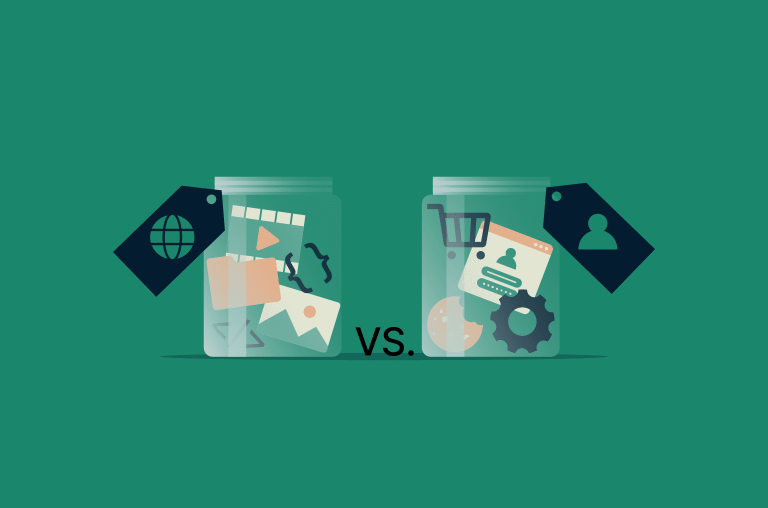
In this guide, we’ll walk through what cache and cookies actually store, how they work behind the scenes, how they affect privacy and performance, and when it makes sense to clear one, the other, or both. The goal: help you browse faster and keep your data under control.
If you’ve ever wondered why your Netflix stream is smooth but your big file download feels like it’s crawling, you’ve already bumped into the difference between TCP and UDP — you just didn’t know their names yet. TCP and UDP are the two main transport protocols that sit under almost everything you do online: browsing, gaming, streaming, video calls, VPNs — the whole lot.