
 Ranked #3 out of 61 VPNs
Private Internet Access (PIA) offers the best value for money of any VPN we review, including NordVPN and ExpressVPN. It costs just $2.03 per month on a two-year plan, which is 49% cheaper than the industry average, without compromising on quality. At this low price, you get access to a proven no-logs, highly customizable VPN that can be used on an unlimited number of devices for streaming, torrenting, and gaming. Its only noticeable flaws are a faulty Smart DNS tool and limited access to global streaming platforms.
- Pros
- Verified no-logs privacy policy
- Fast connection speeds
- Highest-rated torrenting VPN
- Cheap pricing plans compared to rivals
- Servers available in 50 US states
- Advanced & customizable encryption
- Cons
- Smart DNS tool doesn't work with streaming apps
- Doesn't unblock many global streaming services
- Apps require an initial learning curve
- Paywalls dedicated IP feature
PIA is one of our favorite VPNs to use, as it goes above and beyond what is expected from a VPN service. For instance, it is one of only nine VPNs with a verified no-logs policy, demonstrating its commitment to your privacy, and it is the only VPN in the world to provide servers in all 50 US states.
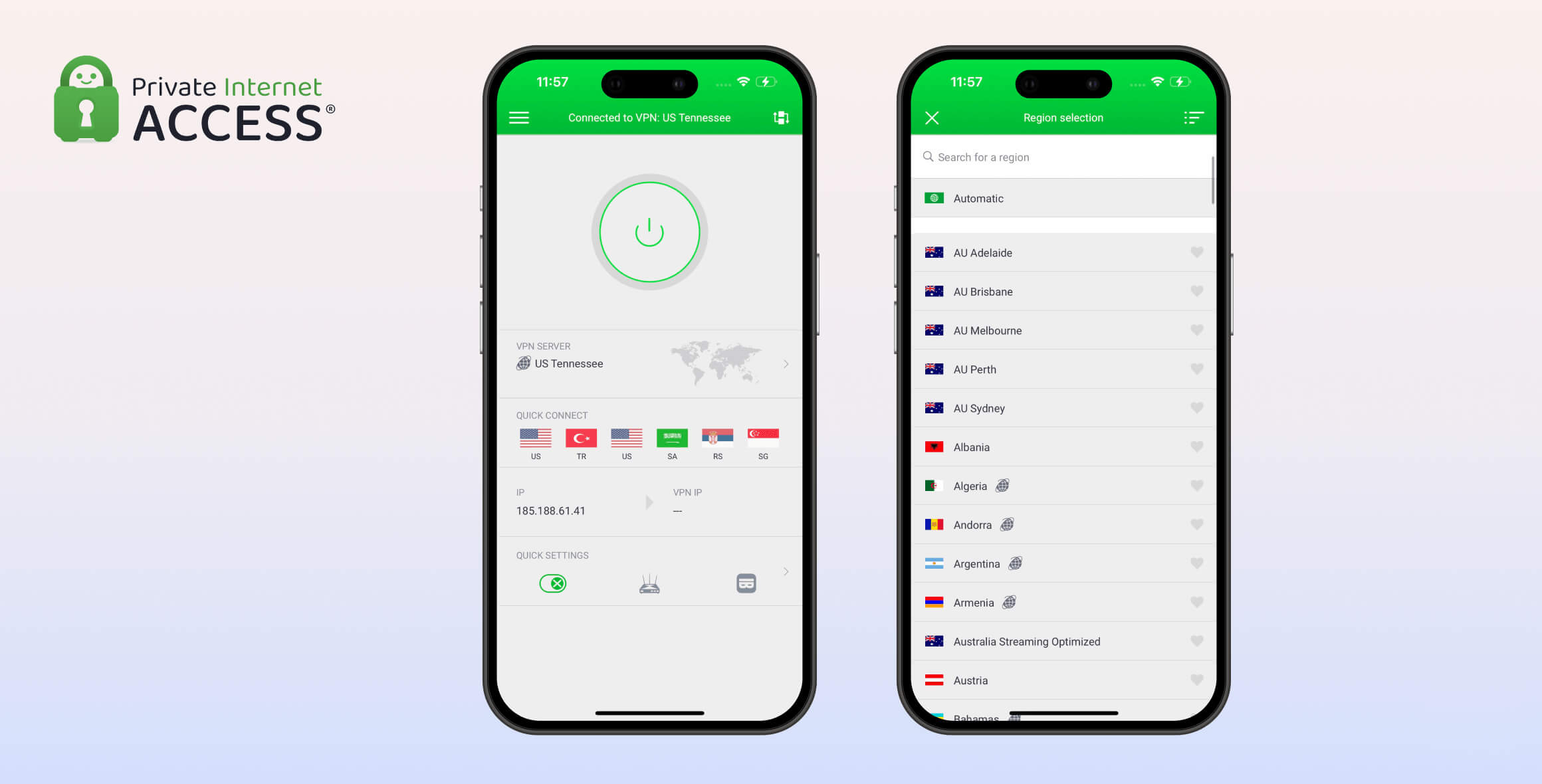
This commitment is also reflected in its user-focused app design, where you can customize the interface to match your exact needs. For example, you can remove the server list from the home screen or add a toggle that lets you quickly enable port forwarding.
PIA is not without its faults, such as a much weaker streaming performance than comparable VPNs, but its affordable pricing plans still make it a worthwhile investment.
If you’re in a hurry, we’ve made a short video review of Private Internet Access that covers all the must-know results from our testing in under a minute:
Privacy
Ranked #1 out of 61 VPNs for Privacy
Private Internet Access is one of only a few verified no-logs VPN services. It keeps no session, connection, or server data— all it tracks is your basic account information. You can use the service with complete confidence that your IP address and activity are not being monitored, stored, or linked back to you.
| Originating IP Address | No |
|---|---|
| Browsing Activity | No |
| Individual Connection Timestamps | No |
| Date of Last Connection | No |
| VPN Server IP | No |
| Device Information | No |
| Individual Bandwidth Usage | No |
| Account Information | Yes |
You can read PIA VPN’s full privacy policy on its website.
We personally read through PIA’s privacy policy and confirmed that it’s a genuine no-logs VPN, meaning it doesn’t store anything that can be used to identify you.
All PIA collects is your email address and payment details at sign-up, which is standard practice and kept separate from your online activity. If you’re uncomfortable with this, you can use an anonymous payment method, like Bitcoin, and an email account with an alias.
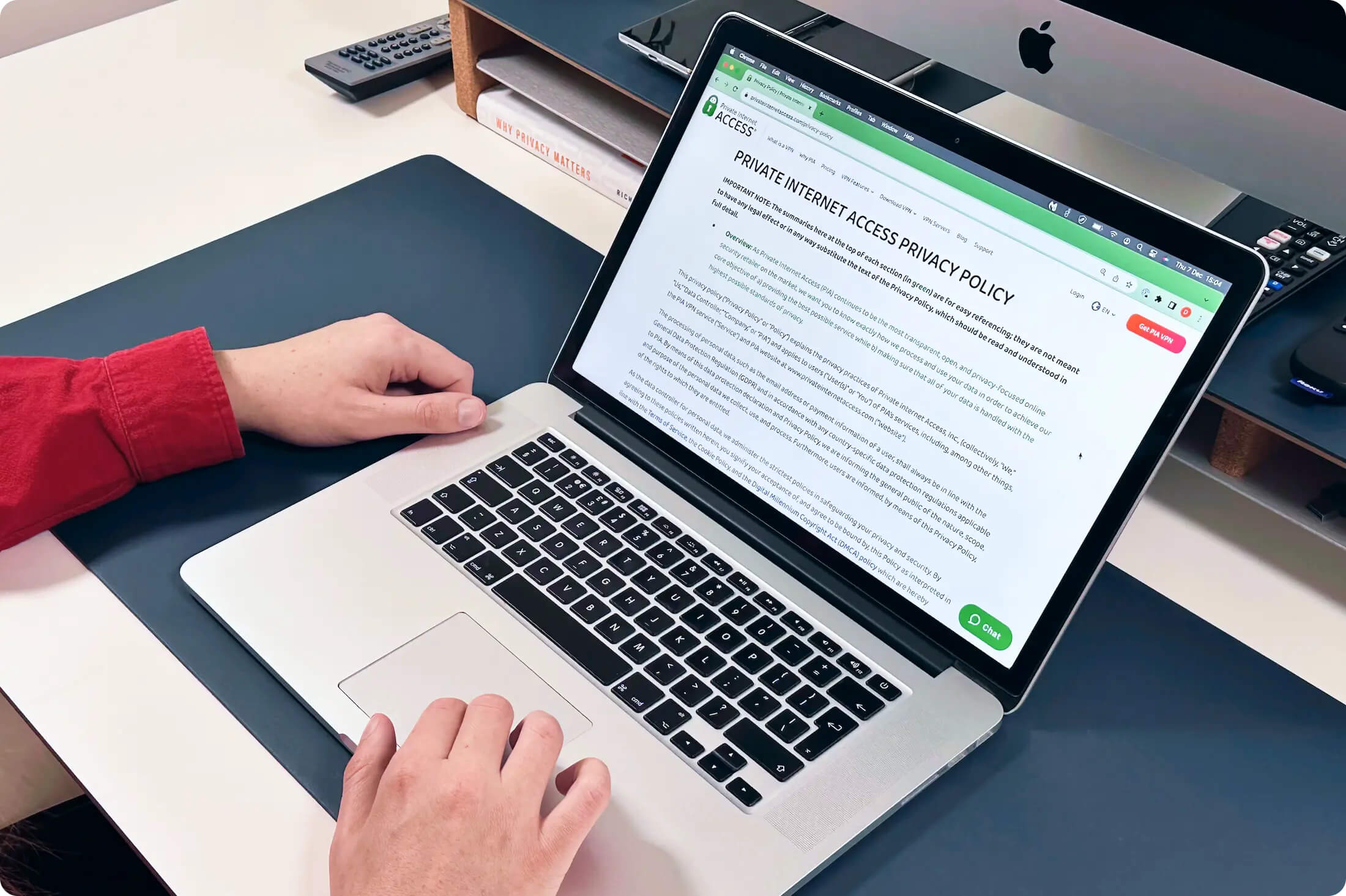
PIA’s Privacy Policy confirms it doesn’t collect your browsing history, IP address, or connection timestamps.
Its logging policy has been verified on several occasions. PIA had no data to hand over to the FBI following a court case in 2016, and the Russian government was unable to retrieve any user data during a server seizure in the same year.
Moreover, PIA’s privacy policy was audited by Deloitte in April 2024 and found to store no data or activity that could be used to identify PIA users.
PIA also releases regular transparency reports that detail the number of requests for user data it has received from government agencies, along with how many it has complied with. At the time of writing, that number is zero.
Jurisdiction & Ownership
PIA is incorporated in the United States, a member of the Five Eyes intelligence alliance and a nation with invasive data laws. Thankfully, PIA’s proven no-logs policy largely neutralizes this risk, as it has nothing to hand over to US authorities.
PIA was originally developed by London Trust Media Inc. (LTMI), a company with a history of creating privacy tools, before being acquired by Kape Technologies in November 2019.
At the time, this acquisition attracted some controversy due to Kape’s past association with an SDK platform that third parties used for ad injection. That platform shut down in 2016, and PIA has actually improved its privacy under Kape’s ownership, with multiple Deloitte audits and the introduction of transparency reports.
How Private Is Private Internet Access Compared to Other VPNs?
In the table below you can see how PIA compares to five other private VPNs in key areas like logging policies and jurisdictions:
| VPN Service | Privacy Rating | Logging Policy | Jurisdiction | Independently Verified |
|---|---|---|---|---|
| PIA VPN | 9.7 | No Logs | United States | ✓ |
| ExpressVPN | 9.2 | Connection Logs | British Virgin Islands (BVI) | ✓ |
| NordVPN | 8.8 | No Logs | Panama | ✓ |
| PrivateVPN | 9.3 | No Logs | Sweden | ✓ |
| Surfshark | 8.7 | Connection Logs | British Virgin Islands (BVI) | ✗ |
Streaming
Ranked #11 out of 61 VPNs for Streaming
PIA reliably unblocks streaming services based in the US, but it’s far more limited for international streaming. We were only able to stream six Netflix libraries, compared to 32 with Windscribe, and we were blocked from accessing RaiPlay, Sky Go, and RTVE Play. Even worse, PIA’s Smart DNS tool doesn’t work with any streaming services, so you can’t use it reliably with Smart TVs or games consoles.
| Streaming Service | Works with Private Internet Access |
|---|---|
| BBC iPlayer (UK) | Yes |
| DAZN (Canada) | No |
| Disney+ (UK) | No |
| Hulu (US) | Yes |
| ITVX (UK) | Yes |
| HBO Max (US) | Yes |
| Netflix (US) | Yes |
| Netflix (UK) | Yes |
| Prime Video (US) | Yes |
| Sky Go (UK) | No |
As of November 2025, PIA works with the following Netflix libraries:
- Australia
- India
- Italy
- Sweden
- UK
- US
Despite offering streaming-optimized servers in 11 countries, we found that PIA is a poor choice for global streaming. This was most evident in our Netflix testing, where PIA unblocked 11 fewer libraries than NordVPN and 12 fewer than ExpressVPN.

Private Internet Access consistently works with US Netflix
Keep reading for a detailed analysis of Private Internet Access’ streaming performance:
Consistently Unblocks US Streaming Services
If you’re only interested in accessing American platforms like Hulu or Max, then PIA is a cheap and reliable option. We found that all of its US servers work for streaming, but its streaming-optimized servers had the highest success rate.
We’d much prefer that PIA optimized its entire server network for streaming, like ExpressVPN does, instead of having two separate server types. This distinction is unnecessary and isn’t immediately obvious to new users.
On the rare occasion we were blocked from a site, we switched between PIA’s servers across all 50 states until one worked — usually on the second attempt.
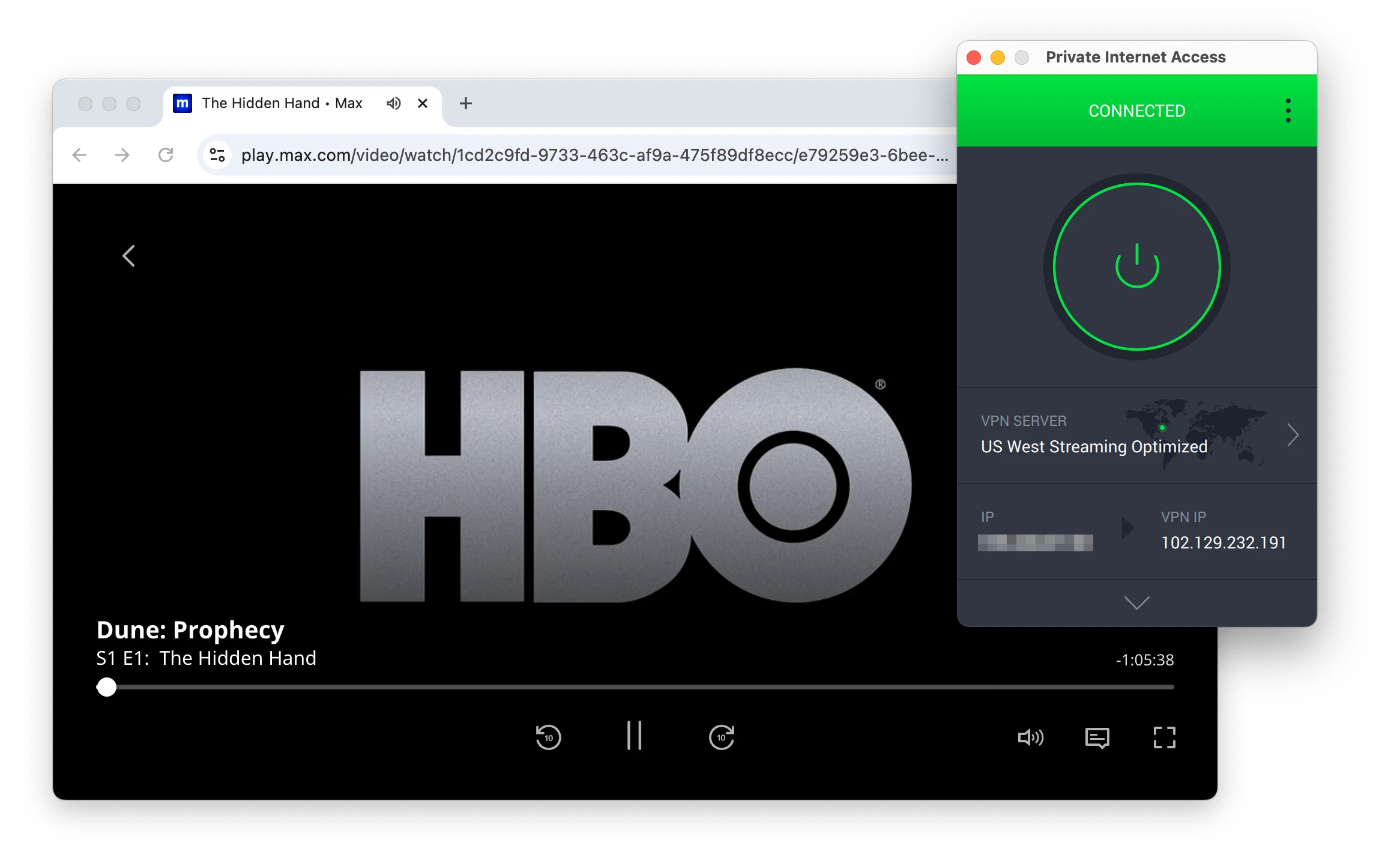
PIA streamed Max with ease.
PIA Streams Some UK Content
In our testing, PIA only worked with BBC iPlayer when we connected to its UK streaming-optimized server. We were never able to get its standard UK servers to work, which left us frustrated at the inconsistency.
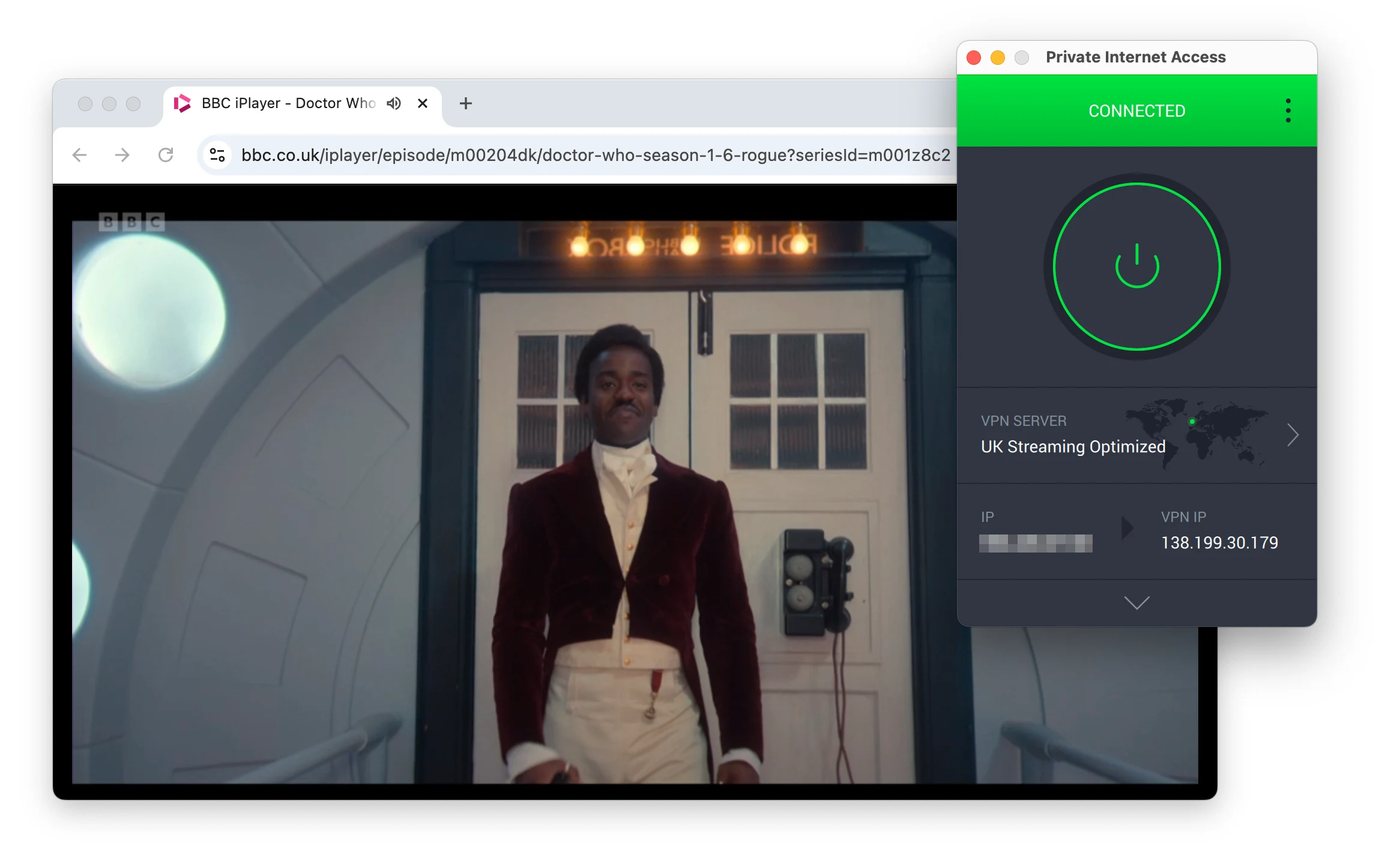
PIA only works with BBC iPlayer on its UK Streaming Optimized server.
Similarly, we could only access ITVX and Channel 4 when we selected an optimized server. The one noticeable exception is Sky Go, which we couldn’t access on any of PIA’s servers, including its Irish server location.
Avoid PIA for International Streaming
As part of our review process, we test every VPN with the most popular streaming services from around the globe. Sadly, PIA struggled to unblock the vast majority, including DAZN Canada and RaiPlay.
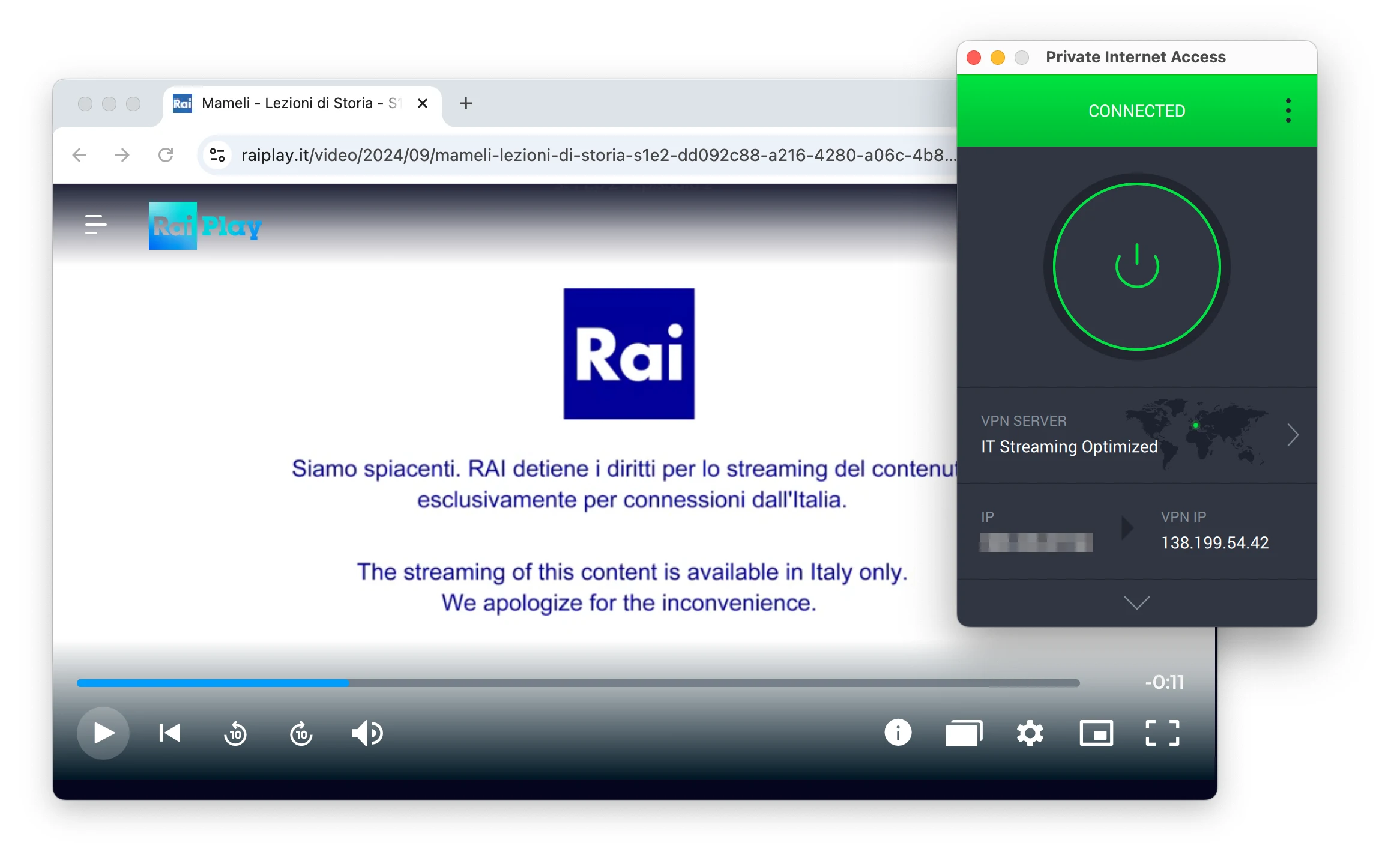
PIA’s streaming optimized servers were useless for global platforms.
That said, we were able to access more niche platforms thanks to PIA’s large server network. For instance, it’s our top choice for watching Champions League games cheaply on tabii in Turkey and for watching blackout NHL games.
PIA’s Streaming Performance Compared to Other Top VPNs
The table below compares Private Internet Access to other streaming VPNs based on Netflix and BBC iPlayer access, and whether streaming with Smart DNS is available:
| VPN Service | Streaming Rating | No. of Netflix Libraries | US Netflix | BBC iPlayer | Smart DNS |
|---|---|---|---|---|---|
| PIA VPN | 6.1 | 6 | ✓ | ✓ | ✗ |
| ExpressVPN | 9.9 | 18 | ✓ | ✓ | ✓ |
| PrivateVPN | 8.2 | 10 | ✓ | ✓ | ✗ |
| NordVPN | 9.2 | 17 | ✓ | ✓ | ✓ |
| Surfshark | 9.0 | 9 | ✓ | ✓ | ✓ |
Speed
Ranked #5 out of 61 VPNs for Speed
PIA is one of the fastest VPNs we’ve tested — especially if you’re connecting to a nearby server. It can’t quite match rivals like Hotspot Shield or ExpressVPN for long-distance connections, but when using the WireGuard protocol it’s still faster than the vast majority of VPNs we test. As of November 2025, PIA is the 10th-fastest VPN you can get.
We connected to PIA servers across six different continents from our testing location in New York, US. We use a 100Mbps internet connection, similar to what your baseline speed at home might be.
Here are PIA’s full speed test results:
| No VPN (New York) | US (New York) | Canada (Toronto) | US (Los Angeles) | UK (London) | Germany (Berlin) | Brazil (São Paulo) | Japan (Tokyo) | South Africa (Johannesburg) | Australia (Sydney) | |
|---|---|---|---|---|---|---|---|---|---|---|
| Server Location |  |
|
 |
|
 |
 |
 |
 |
 |
 |
| Download Speed | 100Mbps | 96Mbps | 94Mbps | 90Mbps | 90Mbps | 84Mbps | 92Mbps | 85Mbps | 74Mbps | 82Mbps |
| Upload Speed | 100Mbps | 92Mbps | 93Mbps | 93Mbps | 90Mbps | 93Mbps | 86Mbps | 88Mbps | 83Mbps | 89Mbps |
| Ping | 1ms | 6ms | 15ms | 86ms | 75ms | 97ms | 127ms | 143ms | 408ms | 213ms |
| Distance | 0mi | 5mi | 300mi | 2,500mi | 3,500mi | 4,000mi | 4,800mi | 6,700mi | 8,000mi | 9,900mi |
Testing PIA’s speeds, we recorded 96Mbps (4% loss) on short-distance connections — an incredibly fast result.
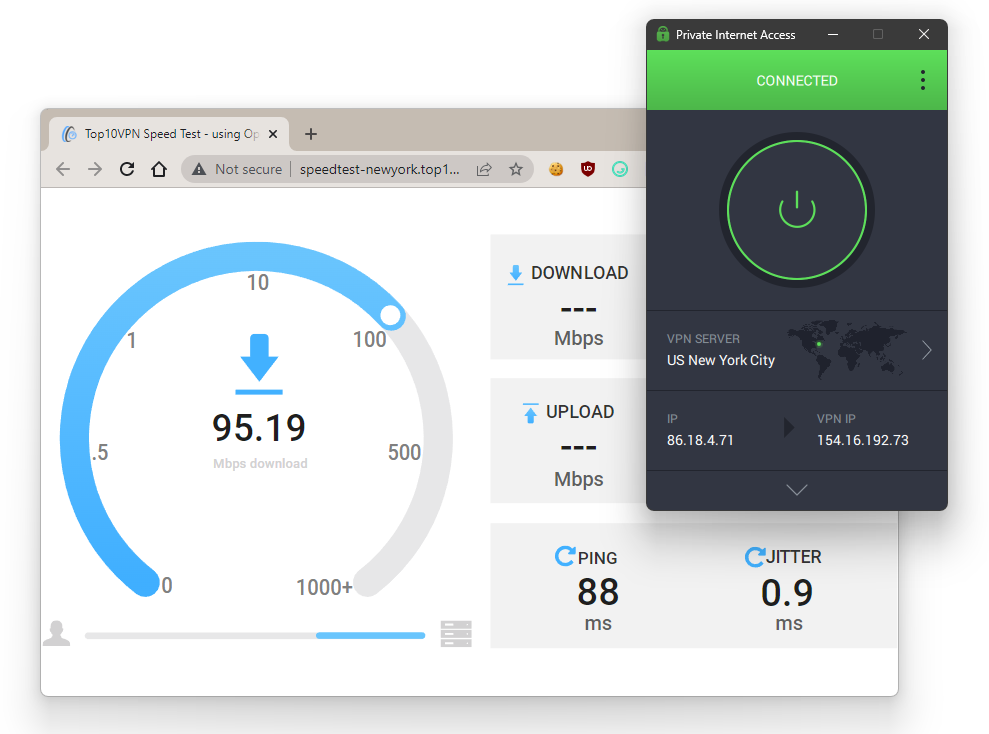
We conduct every speed test using our own purpose-built tool to ensure consistency.
Its long-distance connection speeds were less impressive, but still fast enough for streaming, torrenting, and web browsing.
As expected, the servers located furthest from our testing base in the US recorded the largest speed losses.
However, even over the longest possible distances PIA is still quick. If you need to connect to the other side of the world, you can count on PIA to affect your download speeds as little as possible — we still routinely hit speeds of 82Mbps when connected to a server in Australia.
The main drawback we noticed in our speed testing is that PIA lacks the week-to-week consistency of some of its fastest rivals. There can be noticeable swings, which holds it back slightly — but not enough to be a dealbreaker.
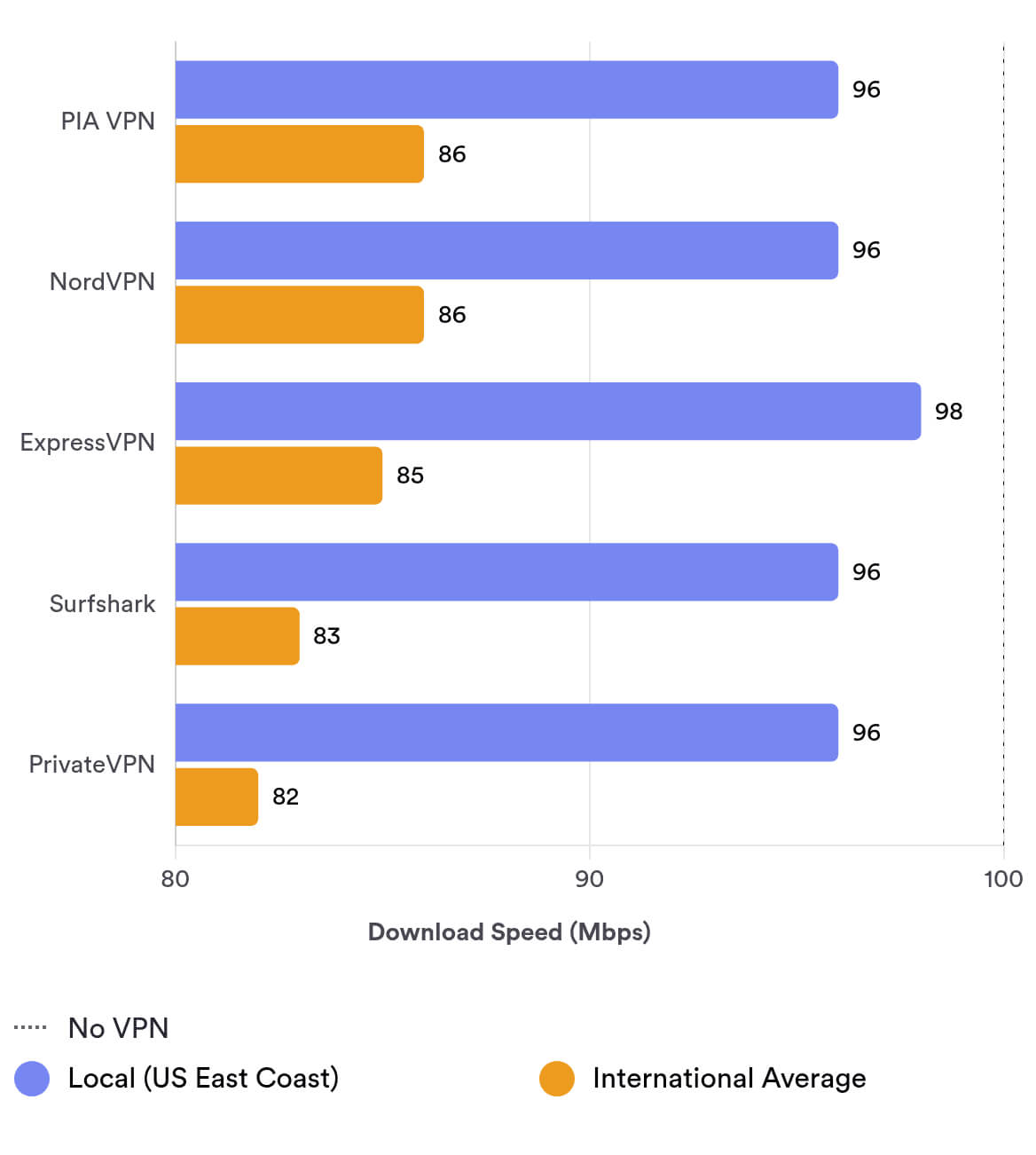
There are still faster VPN services than PIA, mainly over long distances. In our Hotspot Shield review we highlight that VPN’s exceptional global speeds, for example. However, as you can see above, PIA matches or outperforms plenty of big VPN names.
EXPERT ADVICE: To get the fastest speeds with PIA, connect to a server using the ‘Choose Automatically’ option.
PIA Has Ping Times Low Enough for Smooth Gaming
We also measure ping times while testing VPN speeds, and PIA impressed us. You can leave PIA connected while gaming and you shouldn’t notice any difference to your gameplay — not just when connected to a nearby server, but also when using a server in another country.
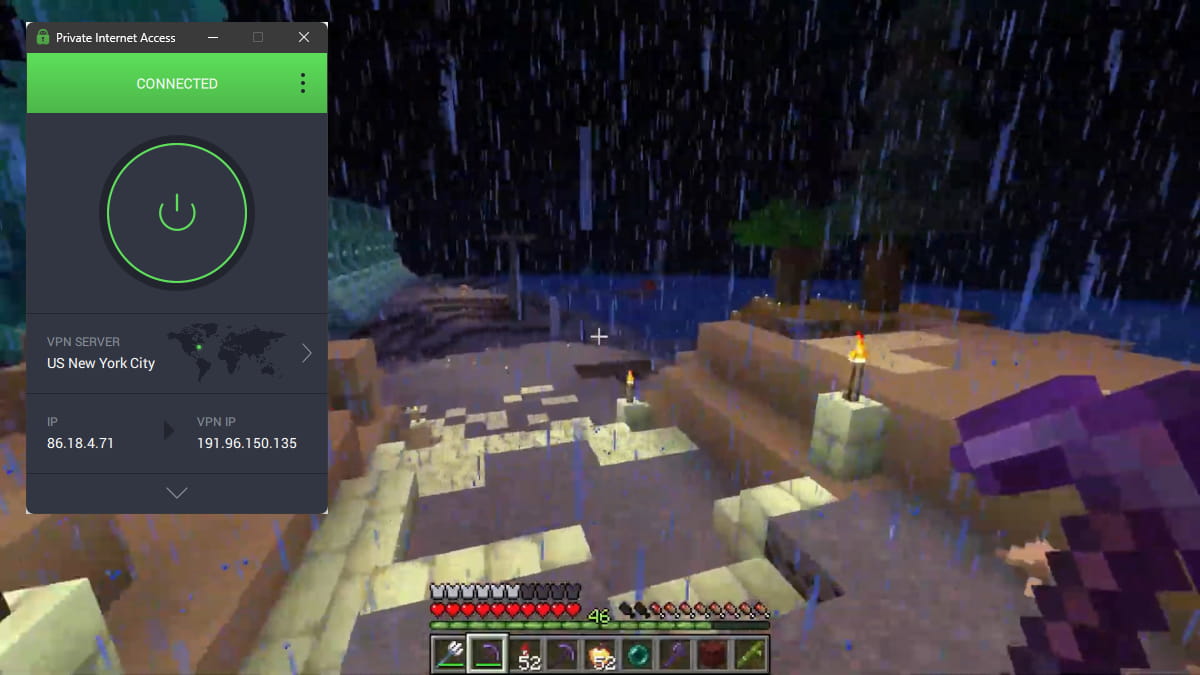
We could play on a shared Minecraft server with PIA running and it didn’t affect our gameplay at all.
PIA delivered a ping of 6ms when connected to a server in the same city as us — almost identical to the 4ms ping with no VPN at all.
If you like to play games like World of Warcraft or League of Legends on servers in a different region, PIA is still a great choice: it only raised our ping to 75ms when we were connected to the UK (about 3,500 miles away), which is still very playable.
Security
Ranked #4 out of 61 VPNs for Security
PIA is a safe and highly secure VPN with lots of customization options and additional features. It uses the best available connection protocols and encryption ciphers, including WireGuard and AES-256. For maximum transparency, it has even open-sourced its apps. We put it through several security tests and verified that it successfully encrypts your internet traffic and hides your IP address.
| Independent Audit | Yes |
|---|---|
| VPN Kill Switch | Yes |
| Leak Protection | Yes |
Encryption & Tunneling Protocols
We tested PIA’s encryption by analyzing our web traffic while connected to a nearby PIA server. Our browsing activity was fully encrypted throughout the VPN session.
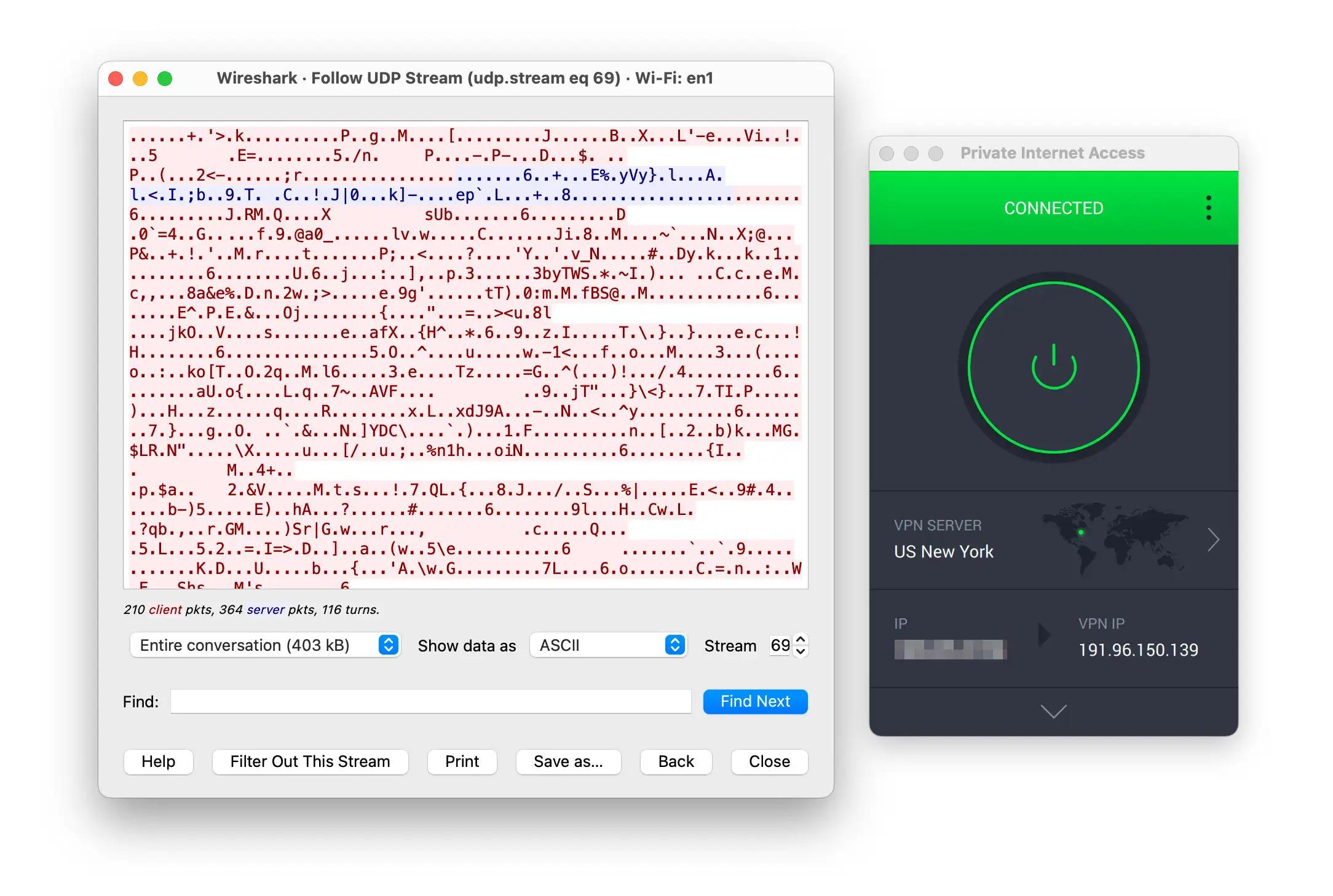
Our web traffic was encrypted, only displaying incoherent symbols.
You can choose between OpenVPN with AES-256 encryption or WireGuard with ChaCha20. These are both secure configurations that passed our Wireshark testing.
We were also pleased to see that the obsolete IKEv2 and L2TP/IPSec protocols have been removed from PIA’s apps. That said, the VPN defaults to the less secure AES-128 encryption, so we suggest you immediately select the AES-256 cipher in your settings, or switch protocols to WireGuard.
Dependable Leak Protection
PIA provides built-in protection against IPv4, IPv6, and DNS leaks. All of this works automatically, except DNS leak protection, which must be manually enabled in the Windows app.
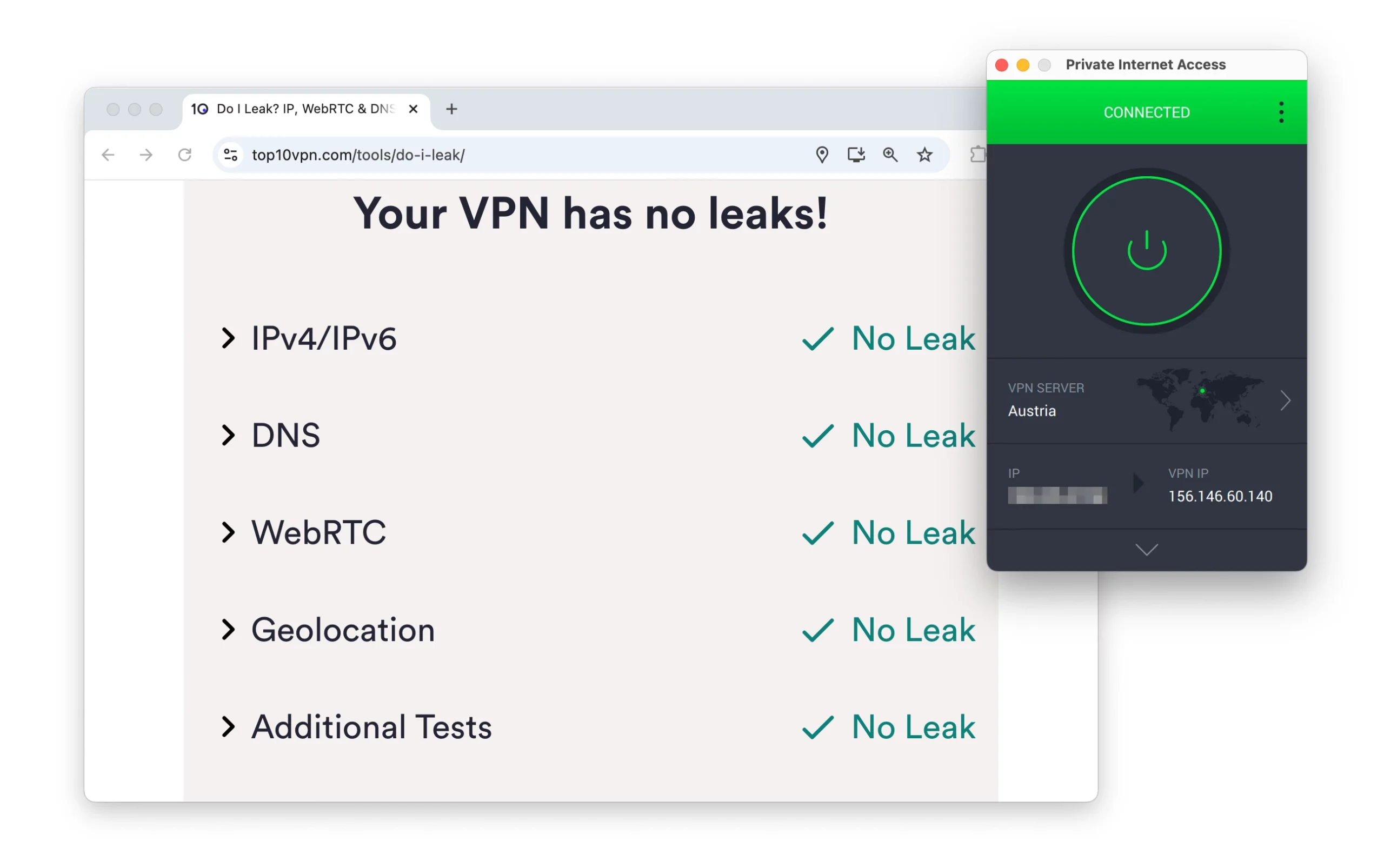
PIA passed our leak testing.
We also tested PIA using our self-developed leak test tool and detected no vulnerabilities whatsoever. As such, you can use PIA online without fear of your IP address, DNS, or WebRTC leaking.
Security Features
PIA is one of the safest VPNs to use, due to its wide range of security features and safety measures. We’ve explained each feature in the sections below so you know how it protects you online and whether you need it enabled.
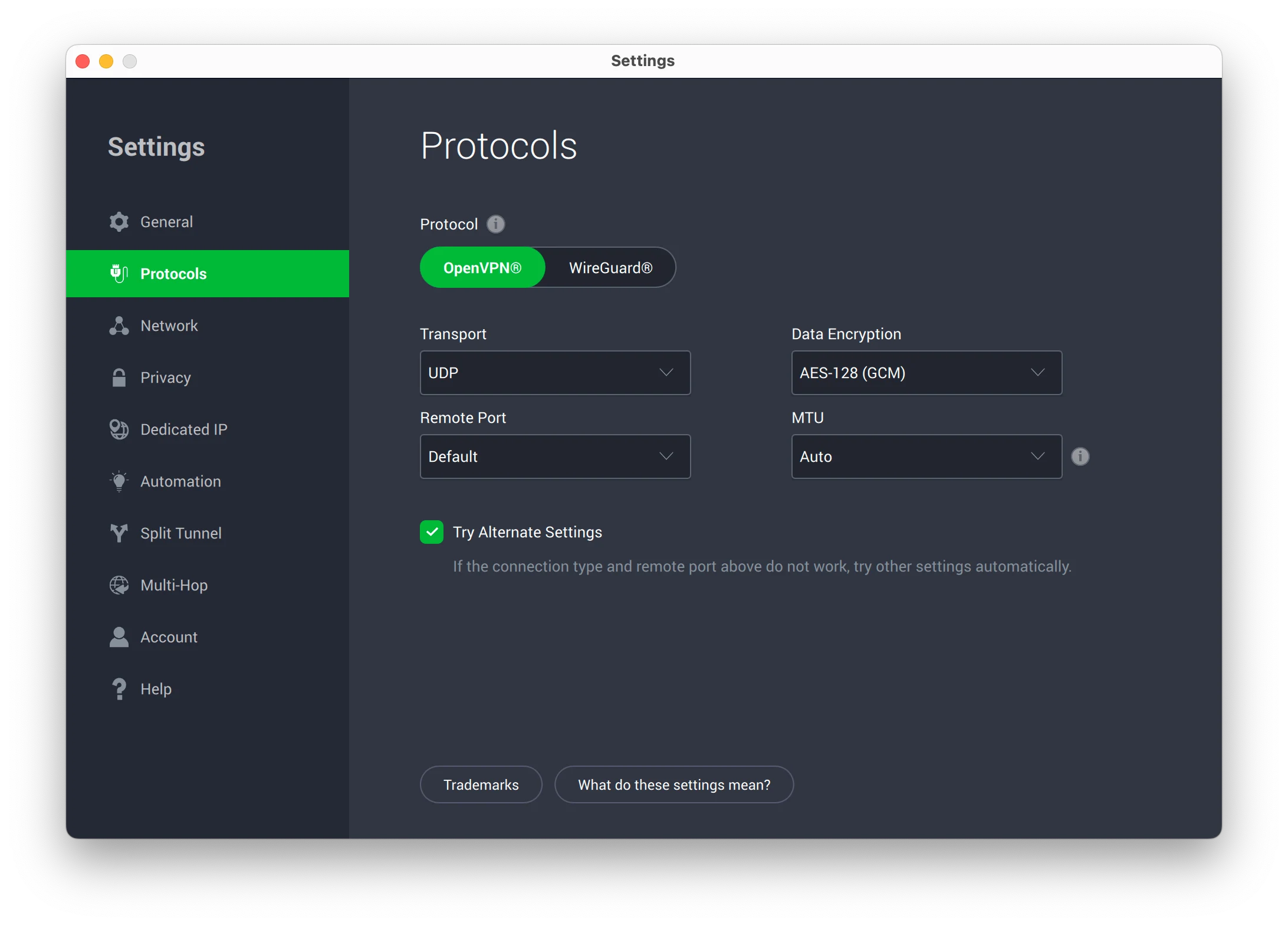
PIA lets you switch between ciphers and customize your port number.
Private DNS Servers
PIA owns and operates its own private DNS servers, meaning your DNS requests are resolved by Private Internet Access rather than your ISP. Put simply, no third parties get to see which websites you visit — it’s all handled by PIA from start to finish.
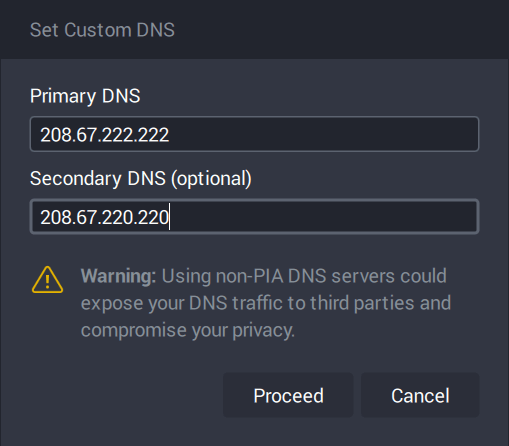
For extra security, PIA controls its own network of DNS servers.
Customizable Encryption
Unlike most VPN services, PIA lets you customize the algorithms and protocols used to encrypt your data. This can be useful for optimizing performance and configuring the VPN to suit your security needs, but it can feel overwhelming for beginners.
For instance, you can choose the encryption level used for data authentication and the VPN handshake. These processes allow your device and the server it is contacting to verify the authenticity of the connection and the data being transmitted.
The most secure settings aren’t selected by default, so we recommend changing them to the following configuration:
- VPN Protocol — WireGuard
- Local Port — Auto
- Connection Timeout — 1 minute
- MTU — Auto
Open-Sourced Apps
All of PIA’s apps and browser extensions are open-source. This allows anyone to inspect the source code for vulnerabilities and contribute by fixing errors and making improvements. It provides extra assurance that PIA’s apps work as intended and are safe to use.
Only a handful of other VPNs, like ProtonVPN and IVPN, have chosen to open-source their apps. We’d encourage every VPN service to follow PIA’s lead, as it substantially reduces the chance of a serious security flaw going unnoticed.
Bug Bounty Program
PIA launched a bug bounty program for VPN vulnerabilities in 2022.
This is open to the public and provides financial rewards in exchange for reported bugs. While you may have no interest in participating, the existence of such a program highlights PIA’s commitment to safety and helps ensure any security defects are detected and fixed quickly.
Security Features We’d Like to See Added
While PIA is safer than most VPNs we’ve tested, it’s still missing some advanced security features. We’ve covered the most important ones below, along with an explanation of how they work and why they matter:
Missing: Colocated Servers
Colocated servers are servers a VPN company owns outright and controls directly, rather than renting from a third party. This prevents outside parties from tampering with your data or interfering with the VPN’s server infrastructure.
We were disappointed to learn that PIA only provides colocated servers in nine countries, which is around 10% of its total server coverage.
While we’re encouraged by its blog post promising more locations, this hasn’t been updated since 2022.
Missing: Post-Quantum Protection
Due to advancements in quantum computing, it’s possible that traditional encryption methods may eventually become less secure. For instance, it would take a normal computer millions of years to crack AES-256 encryption, but a powerful quantum computer could, in theory, do it far faster.
While there’s yet to be a recorded case of this in the VPN industry, we’d like PIA to follow NordVPN’s lead and implement post-quantum protection.
This is a form of cryptography that’s designed to remain secure even against quantum decryption, helping protect your data long term.
Server Locations
Ranked #4 out of 61 VPNs for Server Locations
Private Internet Access has one of the largest server networks available. It provides servers in 153 locations across 91 countries, including all 50 US states. As such, you’re unlikely to encounter congested servers, which helps improve your connection speeds.
| Continent | Countries with Servers |
|---|---|
| Europe | 45 |
| Asia | 22 |
| South America | 9 |
| North America | 8 |
| Africa | 5 |
| Oceania | 2 |
The majority of PIA’s servers are in Europe and North America. This wide US coverage makes PIA the best VPN to stream blackout NHL games, though its spread elsewhere is also impressive. In practice, wherever you’re located, you’ll be able to connect to a nearby PIA server.
What we especially love about PIA’s server network is how extensive it is in the United States. There is a VPN server located in each US state, which allows you to get an American VPN IP address and bypass geo-restrictions even at the state level. Only ExpressVPN can offer comparable US coverage.
You can see how Private Internet Access’ server network compares to other VPN services in the table below:
| VPN Service | No. Of Servers | No. Of Countries | Average No. Of Servers Per Country |
|---|---|---|---|
| PIA | 18,651 | 91 | 205 |
| ExpressVPN | 13,360 | 109 | 126 |
| CyberGhost | 12,000 | 100 | 120 |
| NordVPN | 8,100 | 127 | 63 |
| IPVanish | 3,100 | 112 | 22 |
| HMA | 1080 | 195 | 6 |
In turn, this boosts PIA’s speed, with an average speed loss of just 4% on local connections. You can read more about the VPN’s speed performance in the dedicated section of this review.
Virtual Server Locations
Private Internet Access only uses bare-metal (physical) servers, but 41% of its server locations are virtually located.
PIA clearly labels its virtual server locations with a globe icon. They can be disabled by toggling off ‘Include Geo-Located Regions’ in the apps’ settings.
User Experience
Ranked #2 out of 61 VPNs for User Experience
Private Internet Access is a well-designed VPN across all its many platforms. While it can be simple to use, there’s no ignoring its huge number of extra features and how much customization it offers. If you’re comfortable using VPNs then there’s a lot to like, but if you’re brand new to them it may feel a bit intimidating.
Installation & Setup
We didn’t encounter any issues installing PIA, with setup taking less than two minutes. This was consistent across all platforms we tested.
When first launched, the Windows app runs in the system tray by default, meaning it’s pinned to the bottom-right of your device’s screen. The option to detach the app from the tray is hidden in the ‘General’ section of the app’s settings, which is neither obvious nor easy to find.
Similarly, the PIA Mac app launches as a menu bar app by default. Even once detached, traditional keyboard shortcuts do not work with the app.
In contrast, we had no difficulties setting up PIA’s iOS or Android apps. Simply add the VPN configuration to your device and you’re ready to go.
Interface & Ease of Use
PIA’s apps are compact and stylish, featuring a simple dark-gray background with white text and green and orange highlights to indicate connection status. We found this very easy to read, and we didn’t notice any eye strain when testing, even when switching to its lighter theme.
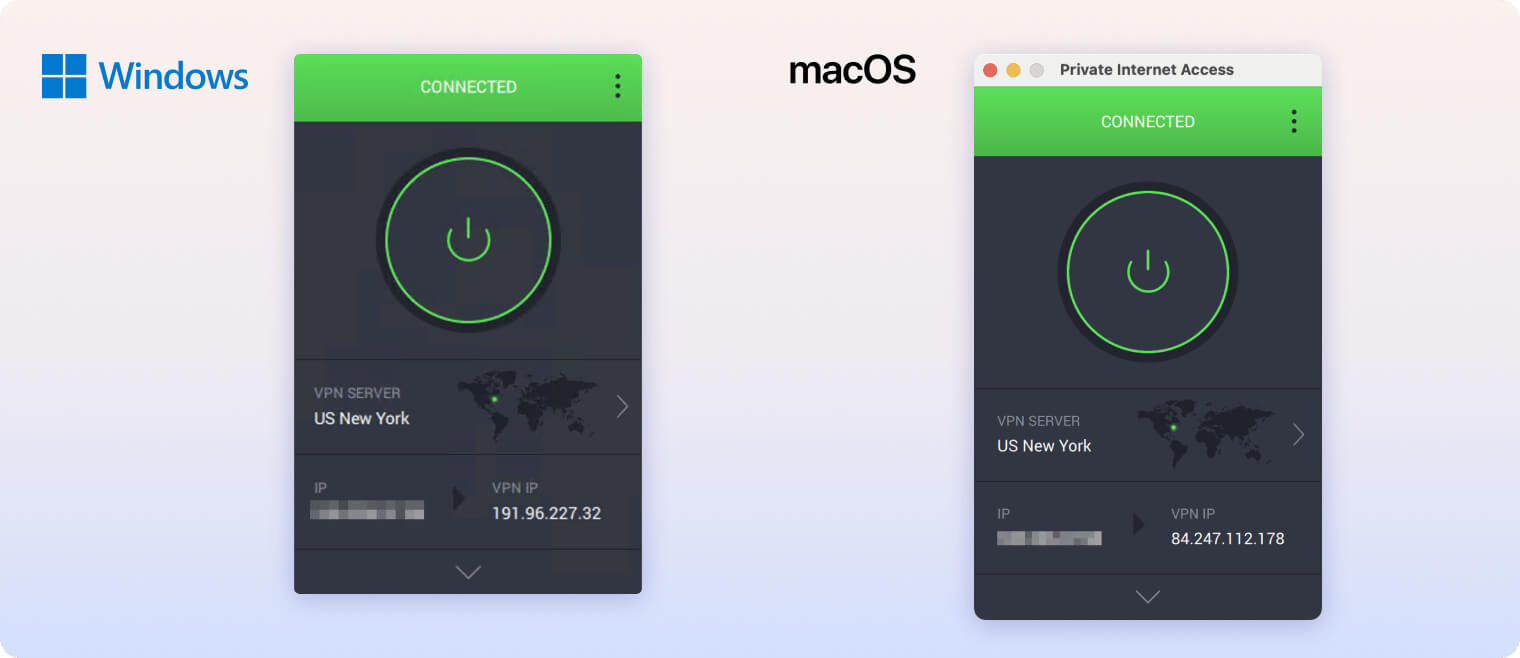
We were most impressed by the level of customization offered within the apps, allowing you to tailor the home screen to your needs and level of technical experience. To do so, click the downward arrow on desktop or the top-right button on mobile, where you can choose to add or remove a number of features or displays.
For example, we added a selection of popular server locations for quicker access and removed our current IP address from the default display.
This level of customization also applies to PIA’s individual features, with options to change DNS servers, switch encryption ciphers, and edit split tunneling rules.
Day-to-Day Experience
Our user experience with PIA steadily improved over time as we became familiar with all of its extra features and settings.
This learning curve was shortest with the iPhone app, as PIA works with all the iOS shortcuts. For example, we loved that you could toggle the VPN on and off from your iPhone’s lock screen. This was not only convenient but made PIA’s iOS app feel tailored to the platform instead of just a port of its desktop client.
However, using the apps regularly also exposed some minor pain points. For instance, tapping ‘VPN Kill Switch’ under ‘Quick Settings’ on the Android app doesn’t actually enable the kill switch. Instead, it displays a wall of text explaining how to activate it. We found this a needless extra step and especially unintuitive given its label as a ‘quick’ setting.
We were also surprised to learn that PIA’s iOS app doesn’t include the MACE ad-blocker. This felt particularly disappointing when switching from the Android or desktop apps where MACE is readily available.
You can see a full overview of the features available on each platform, and any disparities, in the table below:
| Platform | Protocol | Always On | PIA MACE | Split Tunneling | Proxy | Port Forwarding |
|---|---|---|---|---|---|---|
| Windows | OpenVPN, WireGuard | ✓ | ✓ | ✓ | ✓ | ✓ |
| MacOS | OpenVPN, WireGuard | ✓ | ✓ | ✓ | ✓ | ✓ |
| iOS | OpenVPN, WireGuard, IKEv2 | ✗ | ✓ | ✗ | ✗ | ✗ |
| Android | OpenVPN, WireGuard | ✓ | ✓ | ✓ | ✗ | ✓ |
Torrenting
Ranked #1 out of 61 VPNs for Torrenting
PIA remains our best VPN for torrenting, based on our latest round of testing. Its unlimited bandwidth and minimal speed loss (4%) let you torrent without disruption, and its no-logs policy ensures your file-sharing activity stays private. Unlike most VPNs, it also supports port forwarding, which increases the number of peers you can connect to when torrenting.
| Torrenting Attribute | Private Internet Access |
|---|---|
| Permits P2P Traffic | Yes |
| Average Download Bitrate | 9.6MiB/s (4% loss) |
| Countries with P2P Servers | 91 |
| Port Forwarding | Yes |
| Kill Switch | Yes |
| Logging Policy | No Logs |
Out of the 61 VPN services we’ve tested, PIA is the best for torrenting. On a fixed 10MiB/s connection, we recorded an average bitrate of 9.6MiB/s with PIA. The slowdown is so small that we almost forgot we were using a VPN — even for downloads larger than 20GB.
For example, it took us 4 minutes and 40 seconds to torrent the complete works of William Shakespeare, which increased to just 5 minutes when connected to a PIA server.
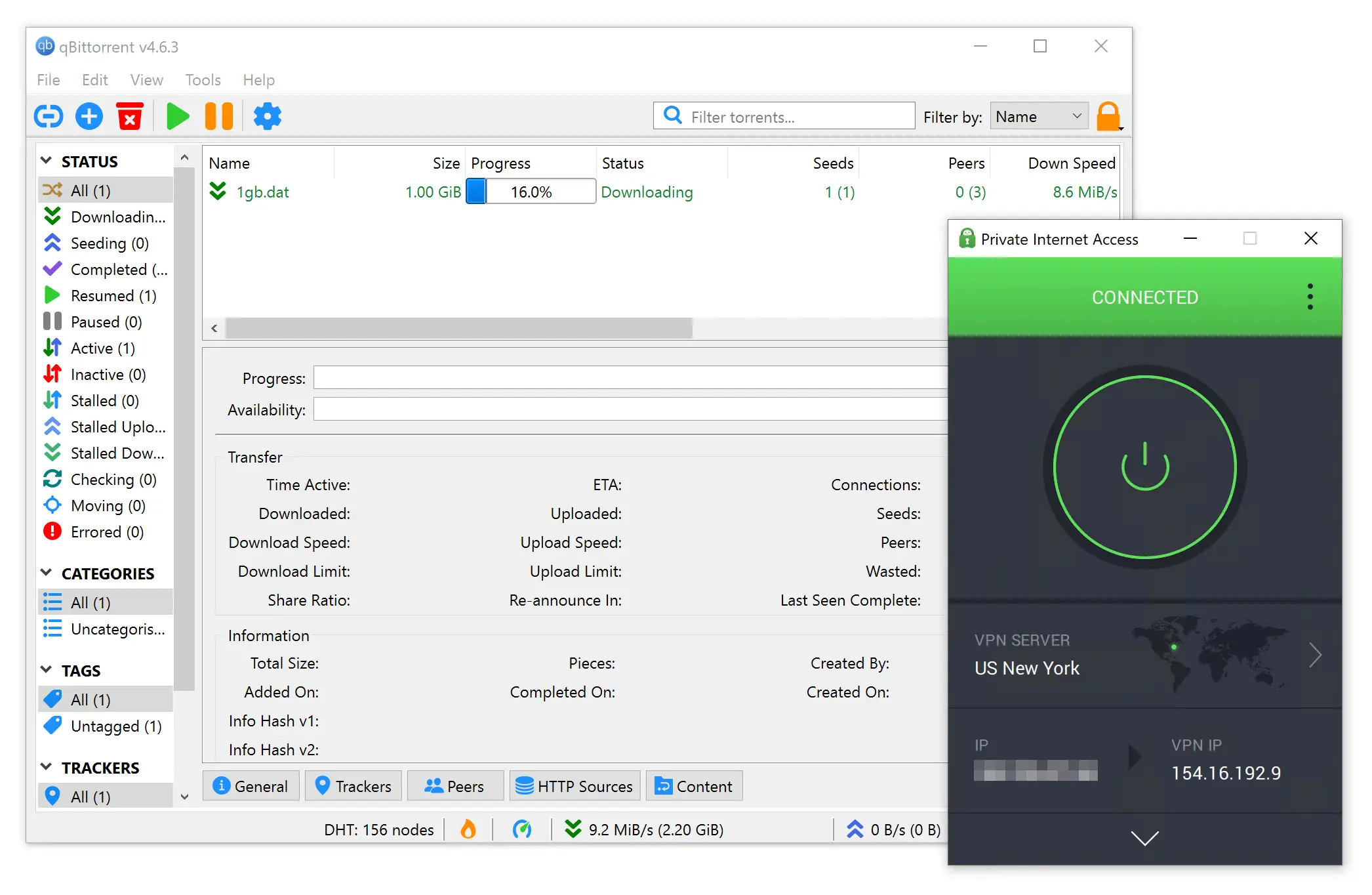
PIA performed best in our torrenting tests.
This is significantly faster than most VPNs, including our second- and third-ranked services: ExpressVPN and NordVPN.
PIA permits torrenting on all servers and platforms. In our experience, we’ve never encountered throttling or bandwidth limits when using PIA for file-sharing. You can simply connect to your nearest server and start downloading.
MACE, PIA’s built-in ad blocker, can also help block trackers and malware you may encounter while torrenting.
PIA Supports Dynamic Port Forwarding
Port forwarding lets you increase the number of torrenting peers you can connect with and can greatly improve P2P upload speeds.
Once enabled in the settings, PIA’s port forwarding feature automatically redirects incoming connections to bypass any NAT firewall.
PIA uses dynamic port forwarding, meaning your port number changes every time you connect. As a result, you have to manually add the new port number to your torrent client each time you torrent. We found this process time-consuming, and forgetting to update it led to several IP leaks in our tests.
Device Compatibility
PIA has apps for all major platforms and a Smart DNS tool for devices that aren’t compatible with VPN software. You can also use PIA on your router, but it lacks a dedicated router app and requires manual setup. PIA doesn’t impose any connection limits, so you can use it on as many devices as you want, all at the same time.
| Windows | Yes |
|---|---|
| Mac | Yes |
| iOS | Yes |
| Android | Yes |
| Linux | Yes |
| Amazon Fire TV | Yes |
| Android TV | Yes |
| Apple TV | Yes |
| Router | Yes |
| Chrome | Yes |
Simultaneous Connections: Unlimited
As shown above, PIA is compatible with almost any device. It is one of only 10 VPN services to provide an Apple TV app, and its Smart DNS tool lets you change your IP address on devices that don’t support VPNs, such as game consoles.
PIA can also be installed on DD-WRT, Merlin, Pfsense, and OpenWRT/LEDE routers. However, it doesn’t have a dedicated router app like ExpressVPN, and its performance in this setup is limited. Installation is slow and the interface isn’t very intuitive, so we don’t recommend using PIA at the router level (and PIA itself doesn’t strongly recommend it, either).
PIA also provides browser extensions for Chrome and Firefox that secure your traffic using Squid HTTPS. Many VPNs, like PrivateVPN, don’t offer browser extensions, so we’re pleased to see that PIA does.
Additional Features
PIA has more additional features than the vast majority of VPNs. We were able to connect to a static or dedicated IP, route our traffic via multi-hop, contact 24/7 live chat support, and more. Plus, its custom ad and tracker blocker, PIA MACE, is the best we’ve tested, blocking 80% of ads.
| Additional Feature | Private Internet Access |
|---|---|
| Split Tunneling | Yes |
| VPN Obfuscation | Yes |
| Multi-Hop Servers | Yes |
| Dedicated IP | Yes (additional fee) |
| Ad Blocker | Yes |
PIA’s Shadowsocks Beats Censorship
We test PIA VPN’s performance in China weekly using our test server in Shanghai. We connect to it remotely from our test office to see if PIA can consistently unblock websites inside China.
Over the past three months, PIA has recorded 50% uptime in China. That’s not quite reliable enough to rank it among the very best VPNs for China, but it comes close to the top five.
To bypass the Great Firewall with PIA, use the OpenVPN protocol and enable the Shadowsocks proxy in the app’s settings.
We successfully accessed censored websites in China using PIA 32% of the time.
PIA uses Shadowsocks, a third-party proxy developed specifically to help users in heavily censored regions like China.
Although Shadowsocks is not as safe or effective as proprietary VPN obfuscation tools, it can access popular apps and websites like Instagram, Facebook, Gmail, and WhatsApp.
Customizable Split Tunneling for Advanced Users
Aside from iOS, all of PIA’s apps include split tunneling. This feature lets you choose specific apps to route through the VPN tunnel and also offers ‘inverse split tunneling’ if you want to select apps to exclude instead.
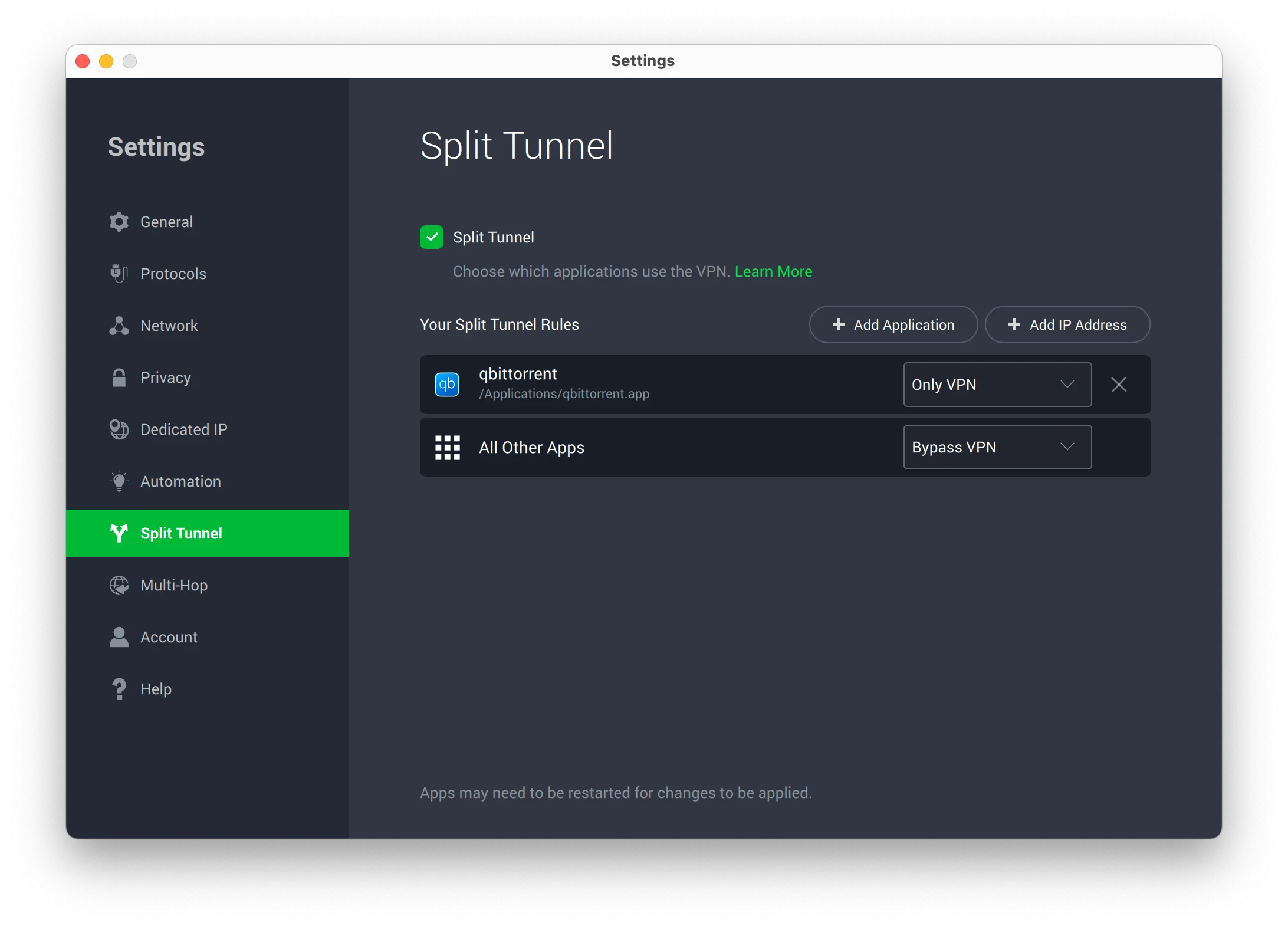
We used split tunneling to limit PIA’s encryption to torrenting traffic.
PIA is also unusual in that it allows you to route traffic through the VPN tunnel not only by app (which is common) but also by IP address, similar to what AirVPN offers.
This level of customization and ease of use is rare.
Multi-hop Uses an Encrypted Proxy Server
PIA lets you route your traffic through a VPN server and a proxy to create a multi-hop connection.
While we’d prefer a second VPN server as the extra hop, using a proxy IP has the added benefit of hiding the fact that you’re using a VPN. This can be useful if you need to conceal your VPN usage from local or national censorship systems.
You can choose either a Shadowsocks or SOCKS5 proxy as the additional “hop.” Your connection remains encrypted end-to-end, keeping your personal data secure.
Dedicated IP Addresses
PIA also offers dedicated IP addresses. These IPs are unique to you and stay the same every time you connect.
PIA offers dedicated IP addresses in the following locations:
- Australia
- Belgium
- Canada
- Germany
- Sweden
- UK
- US
They cost an extra $5.00 per month and, disappointingly, they don’t work with any major streaming services.
Instead, PIA’s dedicated IP feature is designed for accessing sites that use IP allowlists — for example, online banking, corporate networks, or remote servers.
Because the use cases are so specific, we recommend avoiding this feature unless you have a clear need for it.
Private Internet Access Key Data
| Attribute | Private Internet Access | Typical VPN |
|---|---|---|
| Owner | Kape Technologies | Independent |
| Launch Date | 2010 | 2015 |
| Local Download Speed | 96Mbps (4% loss) | 89Mbps (11% loss) |
| International Download Speed | 86Mbps (14% loss) | 80Mbps (20% loss) |
| Countries with Servers | 91 | 40 |
| Privacy Policy | No Logs | Identifiable Data |
| Simultaneous Connections | Unlimited | 10 |
| Netflix Libraries | 6 | 3 |
| Torrenting | Yes | Yes |
| Works In China? | Sometimes | No |
| Cheapest Price | 2.03/mo over 28 months | $3.87/mo over 24 months |
| Customer Support | 24/7 Live Chat | |
| Apps & Extensions |
          |
|
Price
Price Plans
| 1 month | $11.99 |
|---|---|
| 6 months | $45.00 ($7.50/mo) |
| 28 months | $56.84 ($2.03/mo) |
Free Trial
| Money-Back Guarantee | 30 days |
|---|---|
| Free Trial | 7 Days (mobile only) |
| 100% Free Plan | No |