
 Ranked #1 out of 61 VPNs
Ignore the noise and fanfare — we’re yet to find a better VPN service than ExpressVPN. It’s incredibly easy to use, its impact on your internet speeds is negligible, and it keeps your connection private and secure at all times. While ExpressVPN is slightly more expensive than many of its rivals, it’s absolutely worth the extra cost.
- Pros
- No-logs privacy policy
- Works with Netflix, Disney+ & all other streaming sites
- Robust security features
- Fast connection speeds in every location
- User-friendly apps
- Servers in 109 countries
- Cons
- Slightly more expensive than main rivals
- No multi-hop or other advanced features
- Doesn’t support port forwarding
ExpressVPN’s apps are the best we’ve ever used. They’re remarkably simple, with a user-friendly design that makes connecting effortless. None of your personal data is retained, either, thanks to the VPN’s effective no-logs policy, which has been validated by real-world events.
Its download speeds are outstanding, barely affecting video quality or latency from almost anywhere in the world. It also works with nearly every streaming service we’ve tried to unblock. No other VPN can match this consistency — not even NordVPN.
Despite this, some publications still deny ExpressVPN’s superior performance, using its parent company’s past activities as justification. Not only is this misleading, but it also shows how commercial interests can unfairly distort VPN rankings.
We know that many tech review sites rank rival VPNs above ExpressVPN primarily because they pay higher affiliate commissions. This unhelpful practice ignores clear performance differences and can ultimately work against your interests as a user.
At Top10VPN, our impartial testing methodology delivers a data-driven assessment of every VPN service. When you cut through the noise, our test results and analysis show that ExpressVPN is the best overall choice.
🔄 Recent Updates
We’ve updated our review to reflect ExpressVPN’s improved security rating and to cover its redesigned mobile apps, newly added features, and revised pricing structure.
Privacy
Ranked #7 out of 61 VPNs for Privacy
As proven by high-profile server seizures, ExpressVPN doesn’t log any identifying information. This is enforced by its TrustedServer technology: a RAM-only server network that automatically wipes all data every time a server is rebooted, making it impossible to store long-term logs.
| Originating IP Address | No |
|---|---|
| Browsing Activity | No |
| Individual Connection Timestamps | No |
| Date of Last Connection | Yes |
| VPN Server IP | No |
| Device Information | No |
| Individual Bandwidth Usage | Yes |
| Account Information | Yes |
You can read ExpressVPN’s full privacy policy on its website.
ExpressVPN collects less data than the vast majority of VPNs. It only retains some non-identifying connection data, such as your bandwidth usage, to help with diagnostics and service improvement.
While we’d prefer it adopted a strict no-logs policy like PIA VPN, the key point is that none of the information ExpressVPN collects can be used to identify you personally.
This was demonstrated when Turkish authorities seized an ExpressVPN server and were unable to find any connection logs.
To support its privacy claims, the VPN operates a fully diskless server network. Unlike most VPNs that store data on hard drives, ExpressVPN’s servers run on volatile memory, which is erased with every reboot. This makes it impossible for ExpressVPN to store your usage data or for hackers to extract information from the servers.
It’s also one of the only VPN services whose RAM-only server network has been independently audited and verified by a third party.
The Truth Behind ExpressVPN’s Ownership
Kape Technologies’ acquisition of ExpressVPN in 2021 generated controversy due to Kape’s earlier links to an ad-injector platform. However, that platform operated under the company’s previous name, Crossrider, and was shut down in 2016. Since then, Kape has introduced a new management team, a new company name, and a focus on digital privacy.
Despite what some publications suggest, there is no evidence that ExpressVPN’s ownership compromises user privacy. Claims to the contrary are unfounded and often used to justify lowering ExpressVPN’s ratings, particularly when its performance is harder to criticize.
Under Kape’s ownership, ExpressVPN has actually strengthened its privacy practices with more independent audits, biannual transparency reports, and bug bounty programs. The product itself has also improved significantly, with better app design and noticeably better streaming performance.
Streaming
Ranked #1 out of 61 VPNs for Streaming
No other VPN comes close to ExpressVPN for streaming, successfully unblocking an impressive 95% of the 120 services we test. Whatever device you use to stream, ExpressVPN almost certainly has a compatible app. Our videos consistently loaded in maximum quality, without buffering, on Fire TV, Apple TV, PC, mobile, game consoles, and more.
| Streaming Service | Works with ExpressVPN |
|---|---|
| BBC iPlayer (UK) | Yes |
| DAZN (Canada) | Yes |
| Disney+ (UK) | Yes |
| Hulu (US) | Yes |
| ITVX (UK) | Yes |
| HBO Max (US) | Yes |
| Netflix (US) | Yes |
| Netflix (UK) | Yes |
| Prime Video (US) | Yes |
| Sky Go (UK) | Yes |
ExpressVPN reliably works with Netflix, unblocking an impressive 18 regional libraries. This is more than NordVPN and includes popular regions like the US, UK, and Canada.
It also consistently unblocks the UK library of Disney+, an area where major VPNs like PIA struggle. Using its London server, we accessed Star content from our US Disney+ account and streamed shows that would normally require a Hulu subscription.
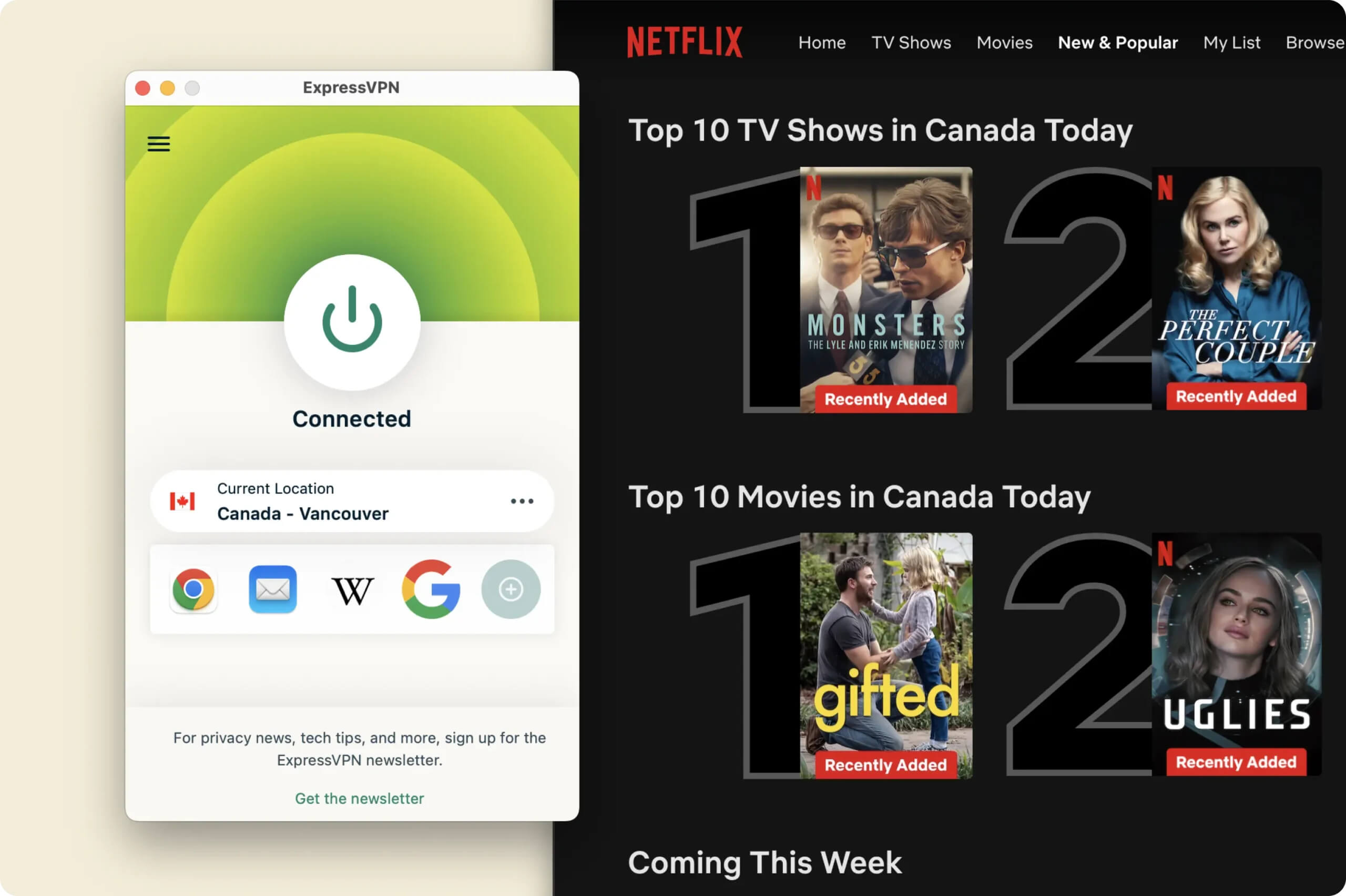
ExpressVPN unblocks all major Netflix libraries without issue.
We’re also pleased that ExpressVPN now bypasses BBC iPlayer’s strict geo-restrictions, allowing you to stream both live and on-demand content. This wasn’t always the case, so it’s encouraging to see that ExpressVPN has resolved it.
The only notable exception is FuboTV Canada, where ExpressVPN failed to bypass the service’s strict proxy detection. Surfshark works here if you need access, but you’ll still need a Canadian payment method.
Beyond unblocking geo-restricted content, ExpressVPN offers a smooth and reliable streaming experience across all devices. For example, its plug-and-play apps meant we could install the VPN on Fire TV and start streaming JioHotstar in under five minutes. That’s far easier than with many VPNs — Mullvad, for instance, doesn’t provide apps for Apple TV or Fire TV at all.
This convenience even extends to devices that don’t natively support VPN apps, such as game consoles, thanks to ExpressVPN’s browser-based router app. Just connect your streaming device to your router, choose a VPN server, and start watching.
While other VPNs require you to connect to “streaming-optimized” servers, ExpressVPN usually works on the first attempt, making it very easy to access geo-blocked content. The only real exception is US Netflix, where we found that the “New Jersey – 1” server performs much better than the default option.
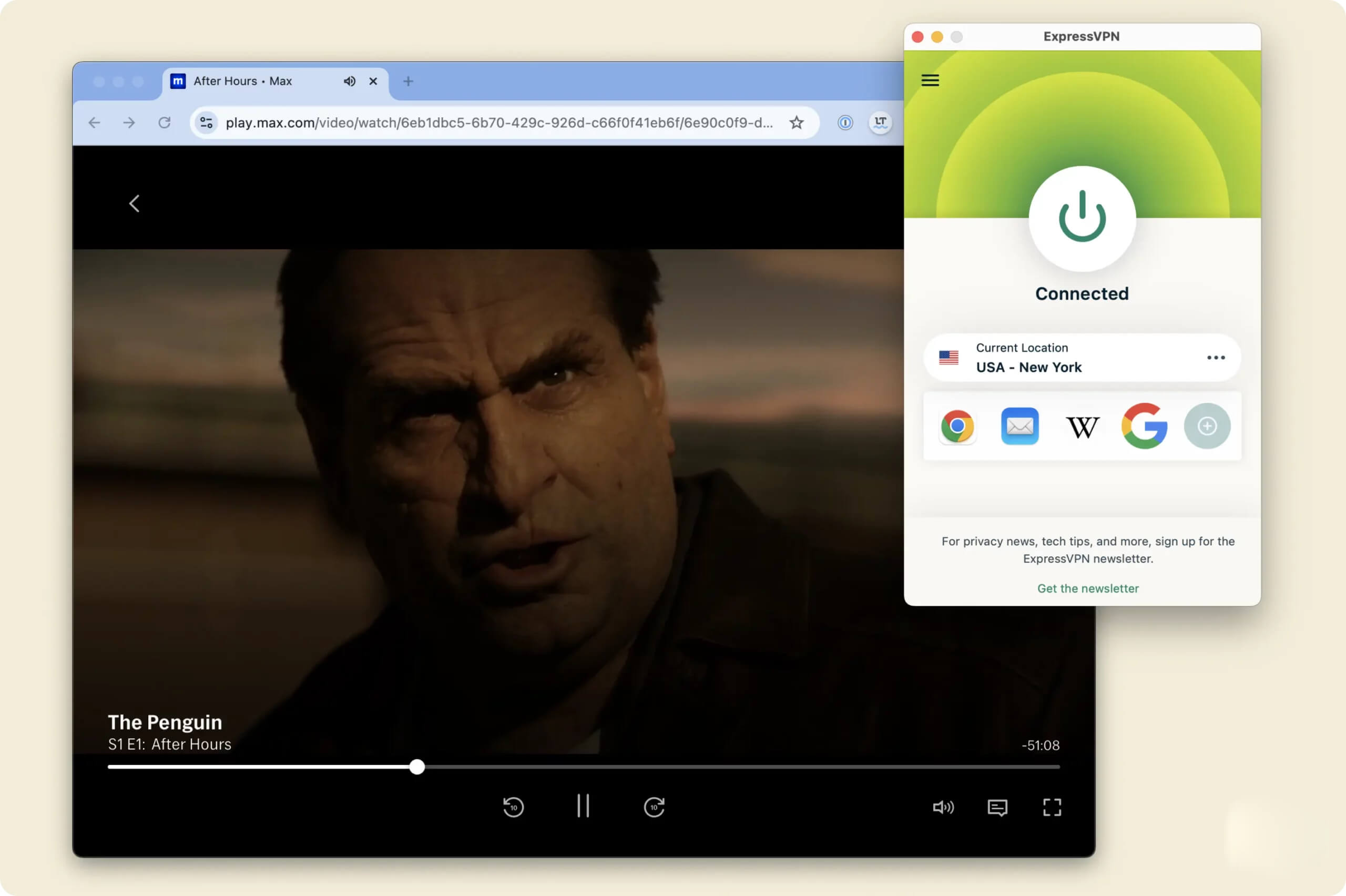
You can use ExpressVPN to watch US streaming services from anywhere.
ExpressVPN’s focus on user experience is also visible in its accurate server locations. Too many VPNs claim to connect you to New York, for example, only for your IP address to show up in another state. ExpressVPN rarely has this issue, and it makes a real difference when you want to stream local channels and broadcasts.
Speed
Ranked #5 out of 61 VPNs for Speed
When connected to a nearby server, ExpressVPN is faster than almost every other VPN we’ve tested, including NordVPN, PIA, and IPVanish. Using its Lightway protocol, we recorded average speed losses of just 2%, which is more than fast enough for gaming, streaming in 4K, and high-quality video calls.
| No VPN (New York) | US (New York) | Canada (Toronto) | US (Los Angeles) | UK (London) | Germany (Berlin) | Brazil (São Paulo) | Japan (Tokyo) | South Africa (Johannesburg) | Australia (Sydney) | |
|---|---|---|---|---|---|---|---|---|---|---|
| Server Location |  |
|
 |
|
 |
 |
 |
 |
 |
 |
| Download Speed | 100Mbps | 98Mbps | 95Mbps | 90Mbps | 93Mbps | 87Mbps | 87Mbps | 83Mbps | 66Mbps | 83Mbps |
| Upload Speed | 100Mbps | 91Mbps | 92Mbps | 88Mbps | 92Mbps | 89Mbps | 90Mbps | 89Mbps | 64Mbps | 91Mbps |
| Ping | 1ms | 8ms | 14ms | 256ms | 74ms | 204ms | 128ms | 145ms | 584ms | 69ms |
| Distance | 0mi | 5mi | 300mi | 2,500mi | 3,500mi | 4,000mi | 4,800mi | 6,700mi | 8,000mi | 9,900mi |
As the table shows, connecting to a nearby VPN server resulted in only a 2% drop in download speed. In practical terms, this feels almost identical to browsing or streaming without a VPN — it’s that fast.
Our speeds also remained very stable, with minimal fluctuations. As a result, we didn’t experience sudden drops, lag spikes, or unexpected buffering during our tests.
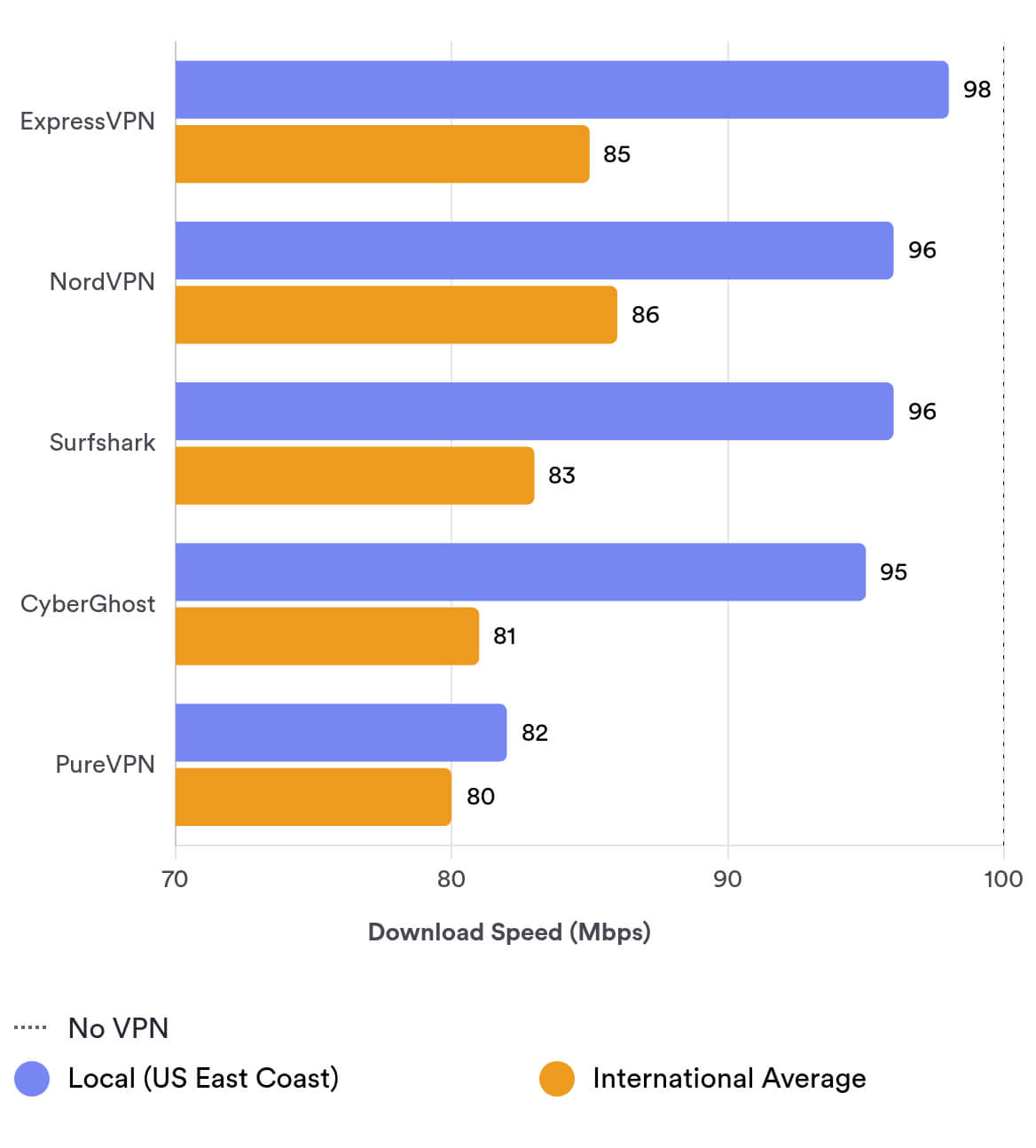
Wherever you are in the world, you can expect similar performance when connecting to a server close to your location. In fact, our data shows that ExpressVPN is the second-fastest VPN we’ve tested for local download speeds.
We attribute this performance to two key factors: its custom-built Lightway protocol and its network of 10Gbps servers, which provide high bandwidth capacity. On Windows, you can also use Lightway Turbo, which delivers even faster speeds.
However, we’ve noticed a slight decline in ExpressVPN’s international performance compared to earlier tests. For example, its speeds have dropped by 27% in South Africa and 7% in Germany compared to our previous measurements.
To put these numbers into perspective, you can see how ExpressVPN compares to other leading VPNs in our dedicated speed comparison chart:
ExpressVPN’s Exclusive Lightway Protocol Gives It an Advantage
Security
Ranked #8 out of 61 VPNs for Security
At no point did we feel unsafe or exposed while using ExpressVPN. Its apps passed all of our in-house security tests, and it has finally added the long-awaited WireGuard protocol. We were particularly impressed by how seamlessly the VPN switches between ChaCha20 and AES-256 encryption to optimize performance based on your device and network.
| Independent Audit | Yes |
|---|---|
| VPN Kill Switch | Yes |
| Leak Protection | Yes |
ExpressVPN uses its in-house Lightway protocol as the default option. Lightway automatically switches between two highly secure encryption ciphers — ChaCha20 and AES-256 — depending on your hardware and connection. This ensures strong security without sacrificing speed.
We verified this by analyzing our VPN traffic with Wireshark, a data packet inspection tool.

Head of Research, Simon Migliano, tested ExpressVPN’s encryption with Wireshark.
Every single ExpressVPN app, including its browser extensions, successfully encrypted our traffic. This is extremely rare, as most VPN browser extensions are basic web proxies that don’t properly encrypt your data.
Lightway is also open-source, meaning anyone can inspect its code for vulnerabilities. If you’re still unsure, you can choose post-quantum WireGuard in all ExpressVPN apps (except macOS), which adds further future-proofing to your security.
ExpressVPN also uses Perfect Forward Secrecy, a 4096-bit RSA key, and SHA-512 HMAC authentication. While many tech review sites describe these as cutting-edge, we want to be transparent: they’re standard for secure VPNs and are used simply to help establish and maintain an encrypted connection.
Passed Our Internet Data Leak Tests
All ExpressVPN apps include the ‘Network Lock’ kill switch, even on platforms that many VPNs ignore, like Fire TV and iOS. There’s also an advanced Network Lock option that blocks all internet traffic from your device until the VPN connection is restored.
Using our in-house tools, we tested ExpressVPN for IP, DNS, and WebRTC leaks while connected to a nearby server. It passed every test, ensuring none of our personal information or real IP addresses were exposed.
Previously, a bug in ExpressVPN’s Windows app caused DNS leaks when split tunneling was enabled, allowing ISPs to see which websites you visited. Fortunately, ExpressVPN fixed the issue quickly once it was reported, and we’ve seen no sign of it returning.
Importantly, ExpressVPN also uses its own first-party DNS servers, so your DNS requests never have to go through your ISP.
All of these security claims have been backed up by multiple independent security audits. In the last three years alone, ExpressVPN has undergone 13 security-related audits. By comparison, NordVPN has completed only two during the same period.
Server Locations
Ranked #1 out of 61 VPNs for Server Locations
ExpressVPN has servers in 109 countries, the fifth-highest total among the 61 VPNs we review. With it, you can get an IP address from almost every part of the world. What really sets ExpressVPN apart, though, is that it offers more city-level servers than any other competitor, giving you the option to connect to specific cities and regions.
| Continent | Countries with Servers |
|---|---|
| Europe | 47 |
| Asia | 26 |
| North America | 13 |
| South America | 10 |
| Africa | 6 |
| Oceania | 3 |
With ExpressVPN, you can get an IP address from more countries than with most VPNs, including 18 more than PIA VPN.
However, it does cover slightly fewer countries in Asia and Africa than its closest rival, NordVPN.
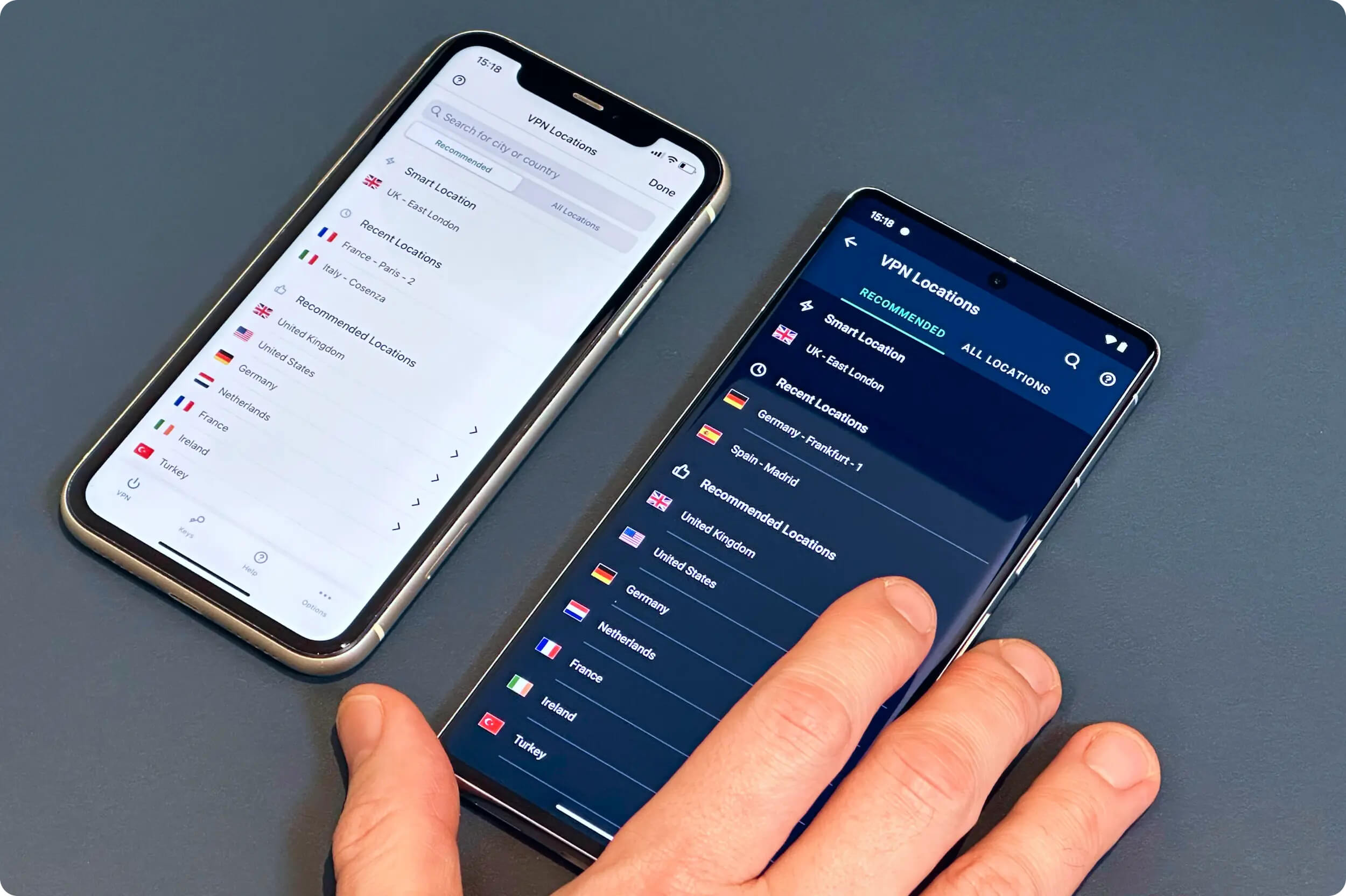
ExpressVPN server list on iOS (left) and Android (right)
ExpressVPN really stands out when it comes to its city-based server options, providing more than any other VPN.
You can connect to specific cities in 15 countries, far more than IPVanish (7) or CyberGhost (9).
This is particularly useful if you want to connect to the closest possible server for better performance, or if you want to access localized content — for example, avoiding MLB blackouts or watching out-of-market NFL games.
On top of this, ExpressVPN offers more US server locations than any other VPN, with 57 city-level locations covering all 50 states. No rival comes close to matching that level of US coverage.
User Experience
Ranked #1 out of 61 VPNs for User Experience
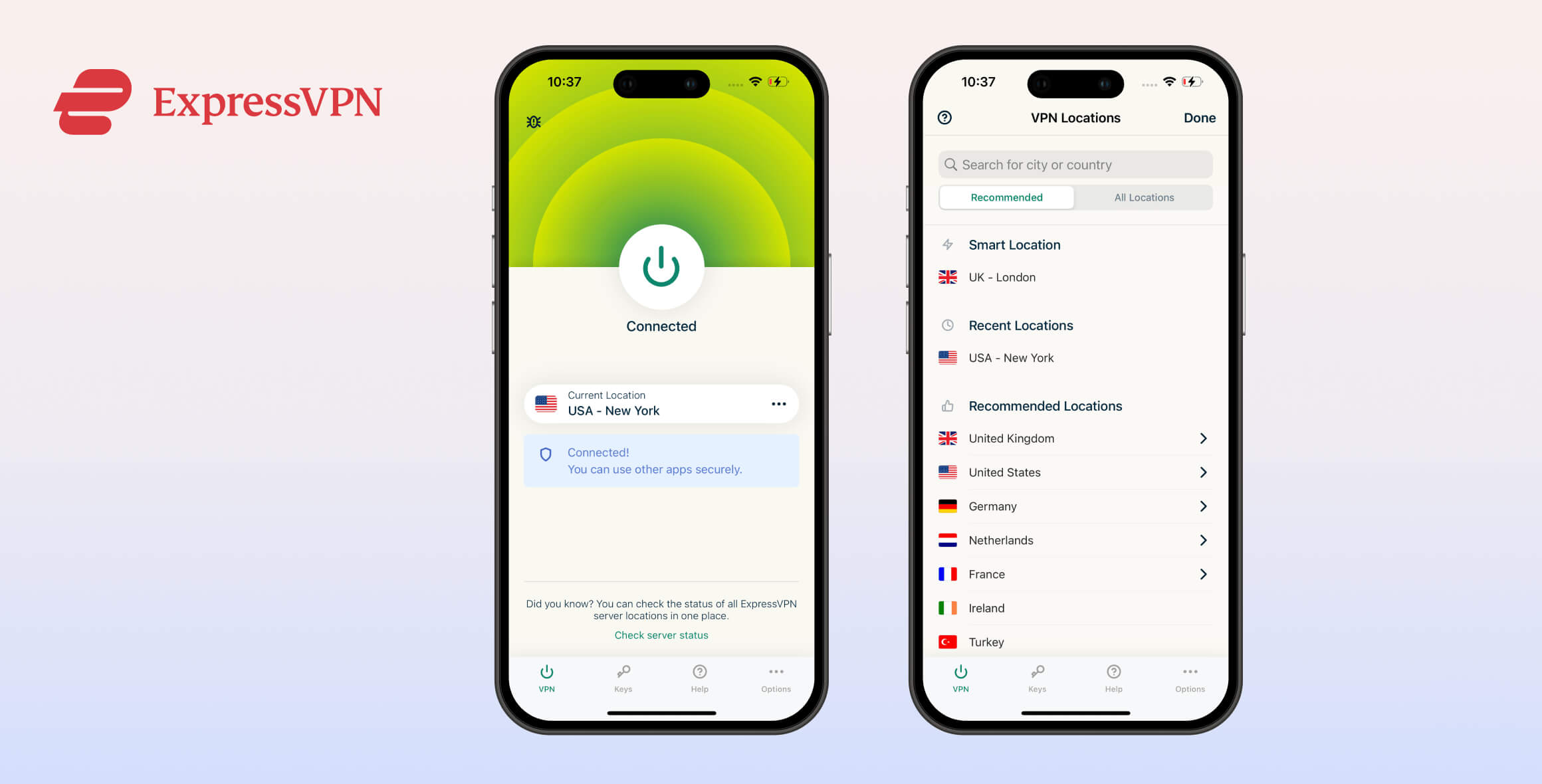
In our view, ExpressVPN is clearly the easiest and most pleasant VPN to use. Its apps require almost no learning curve: you simply press the large “on” button, and it automatically selects the best protocol and server based on your location. We also appreciate how quickly the app opens and connects. These small quality-of-life details make a big difference if you use a VPN every day.
ExpressVPN’s user experience and design are consistent across platforms, with only minor variations. You can expand each section below for a closer look at how the VPN looks and behaves on specific devices.
Desktop & Laptop (Windows & Mac)
Unlike many VPNs that treat Windows as the main focus and neglect Mac, ExpressVPN has built desktop apps that look, feel, and perform almost identically on both platforms.
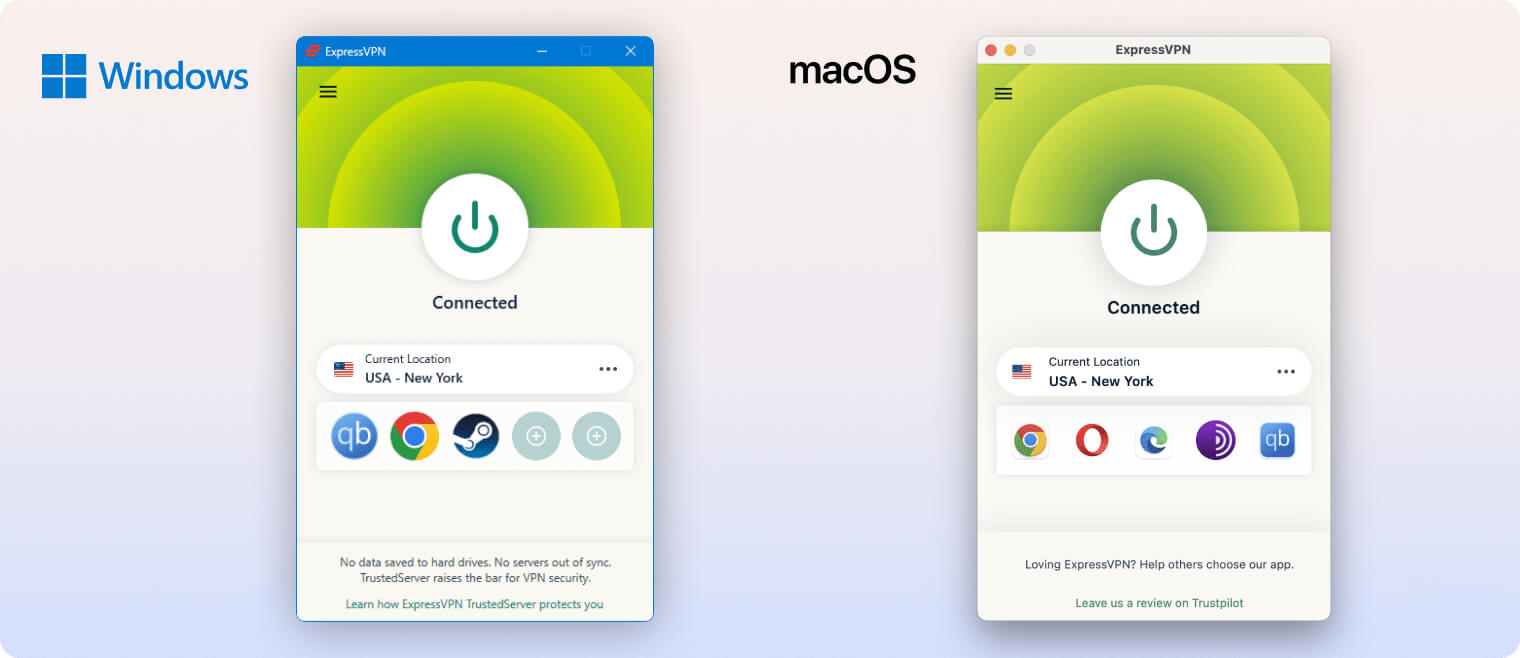
The simple red, white, and green color scheme looks clean on any display and keeps labels easy to read. A single click of the power button connects you to a nearby server; clicking it again disconnects you.
We found this much quicker and more intuitive than many other VPNs. NordVPN, for example, makes you disable auto-connect every time you want to disconnect, which adds an unnecessary step to a simple task.
The server list is easy to browse, with ‘Recommended’ servers shown by default. To see every option, you can click ‘All Locations’ or use the search bar to quickly find a specific region or country.
You can also customize the home screen with shortcuts to your most frequently visited websites and apps. We personally prefer the cleaner look without shortcuts, so we’re pleased this feature can be turned off in the settings.
Mobile (iPhone & Android)
ExpressVPN’s mobile apps closely resemble the desktop versions, with just a few layout tweaks.
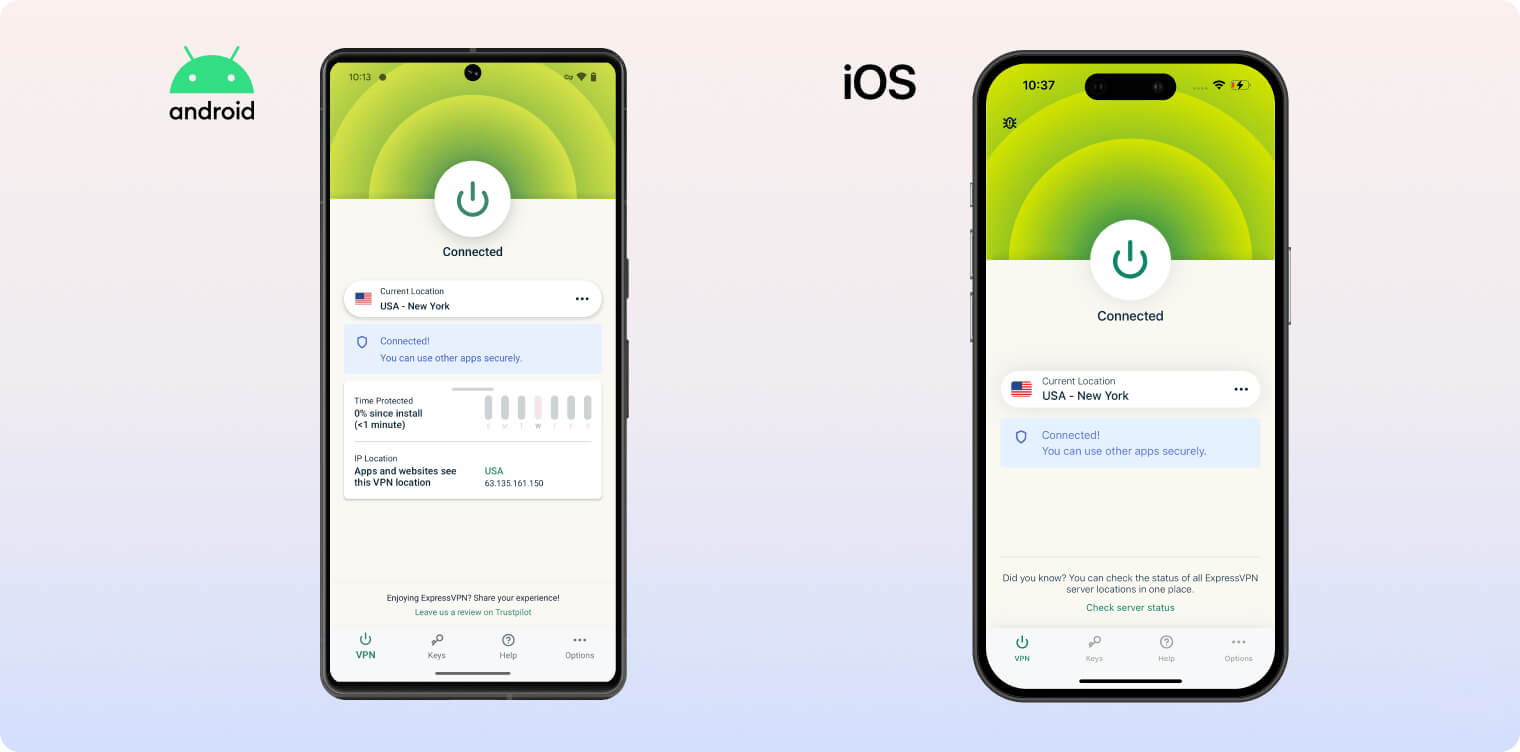
We really like how compact and efficient the mobile apps are. You don’t need to dig into complicated menus — for example, tapping the crescent moon icon in the top-right corner instantly changes the app’s appearance.
Both apps include a small map on the lower half of the home screen that shows your virtual location. It’s much less distracting than the large, animated maps you see in NordVPN or IPVanish, although we’d still like the option to drag and interact with it.
Overall, we’re very happy with the recent improvements, especially two long-requested changes. The mobile apps now have two dark mode options, and the old, overly complex protection summary graph has been reduced so it no longer clutters the home screen.
Streaming Devices (Fire TV, Apple TV & Android TV)
ExpressVPN’s apps for Fire TV, Apple TV, and Android TV are well-designed and easy to navigate, with a dark interface that makes text highly readable on a TV screen.
A light theme option would be a nice addition, but even without it, the apps stand out for their clear layout. Server locations are grouped by continent and presented with a straightforward design that makes it simple to choose the right server.
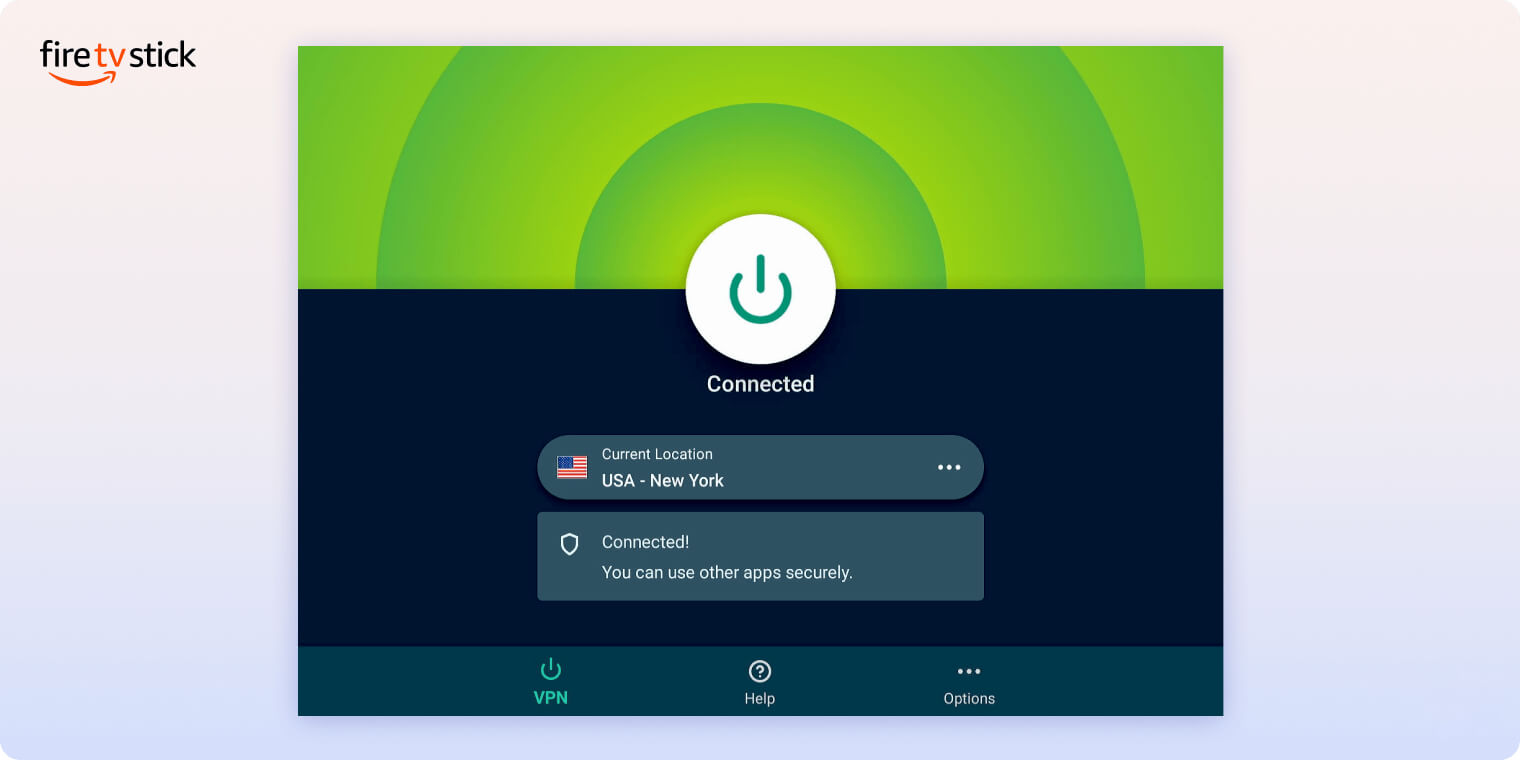
We also like how ExpressVPN keeps a consistent interface across all these platforms. It’s puzzling that competitors like NordVPN use noticeably different designs for their Fire TV and Apple TV apps.
Day-to-Day Experience
As we’ve mentioned throughout this review, ExpressVPN is genuinely a pleasure to use. We choose it as our daily VPN over every other service we test.
After years of using it, we sometimes forget how well it handles the basics: it connects quickly, has a minimal but attractive interface, and delivers excellent performance across almost all use cases.
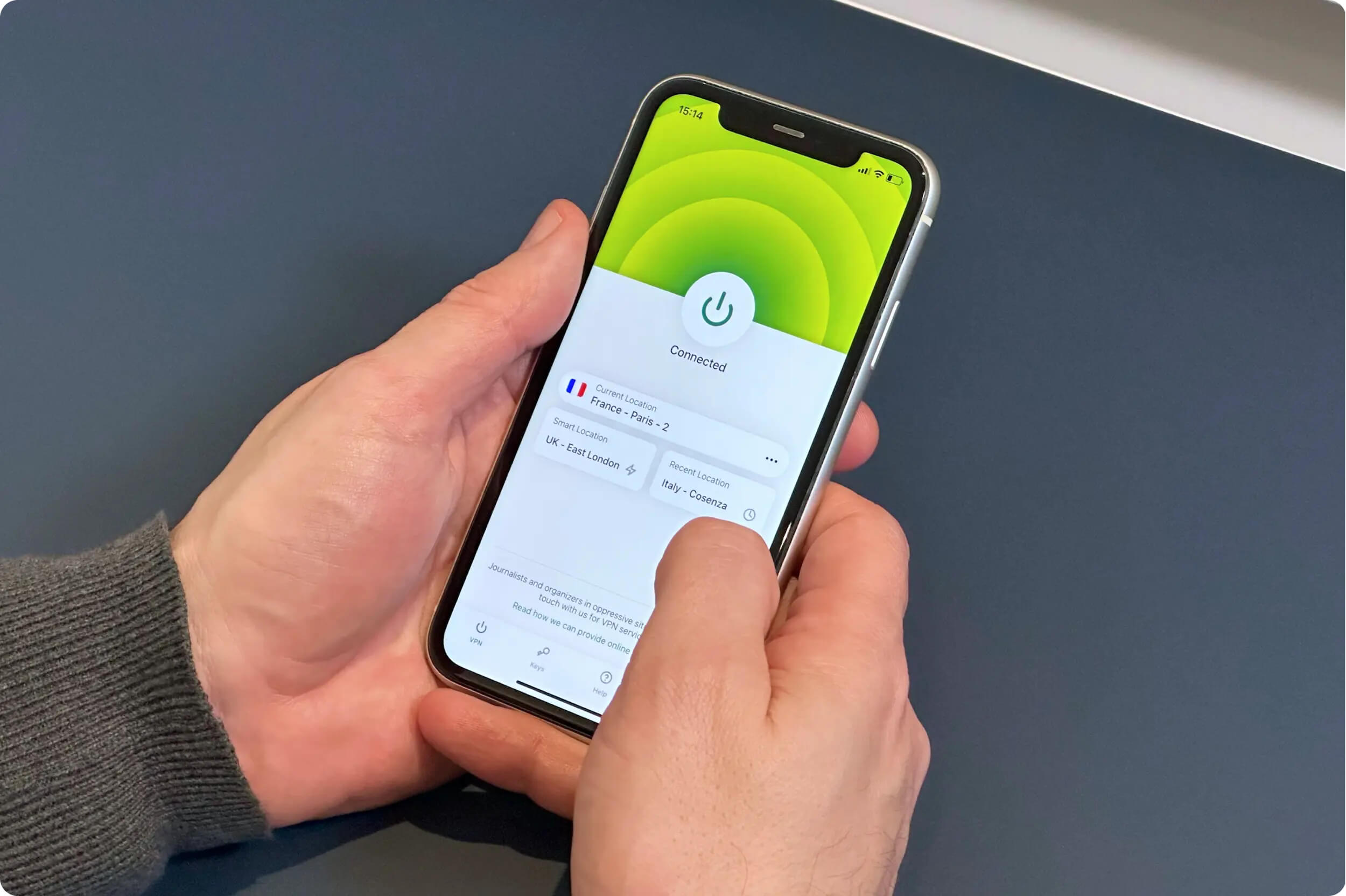
ExpressVPN is our favorite VPN to use.
The difference becomes obvious whenever we switch to other top-tier VPNs. Surfshark, for instance, often frustrates us with constant upsell prompts and small design annoyances. In contrast, ExpressVPN feels polished and premium from the start.
Most of the time, all we do is click the large “on” button and leave it running in the background. We only explore other menus when we need to connect to international servers for geo-blocked content.
Our only real complaint in the past was the frequent CAPTCHAs we encountered while browsing with the VPN enabled. Fortunately, ExpressVPN has resolved this issue, and it’s no longer a regular problem.
Torrenting
Ranked #2 out of 61 VPNs for Torrenting
In our tests, ExpressVPN downloaded P2P files significantly faster than most competitors. All 13,360 of its servers allow torrenting, and its kill switch and privacy-friendly logging practices help ensure your ISP can’t see your file-sharing activity. The only real downside is the lack of port forwarding, but ExpressVPN is fast enough that most users won’t miss it.
| Torrenting Attribute | ExpressVPN |
|---|---|
| Permits P2P Traffic | Yes |
| Average Download Bitrate | 9.8MiB/s (2% loss) |
| Countries with P2P Servers | 109 |
| Port Forwarding | No |
| Kill Switch | Yes |
| Logging Policy | No Identifiable Data |
There’s no record of ExpressVPN ever forwarding DMCA notices to individual users. You can verify this by reading through its transparency reports.
Beyond its privacy protections, we appreciate how straightforward torrenting is with ExpressVPN. With other VPNs, we’ve often thought they were blocking torrents, only to discover that we’d missed a hidden setting or forgotten to switch to a special P2P server.
You won’t run into those issues here: every server, app, and protocol supports torrenting by default. Just connect and start your torrent client.
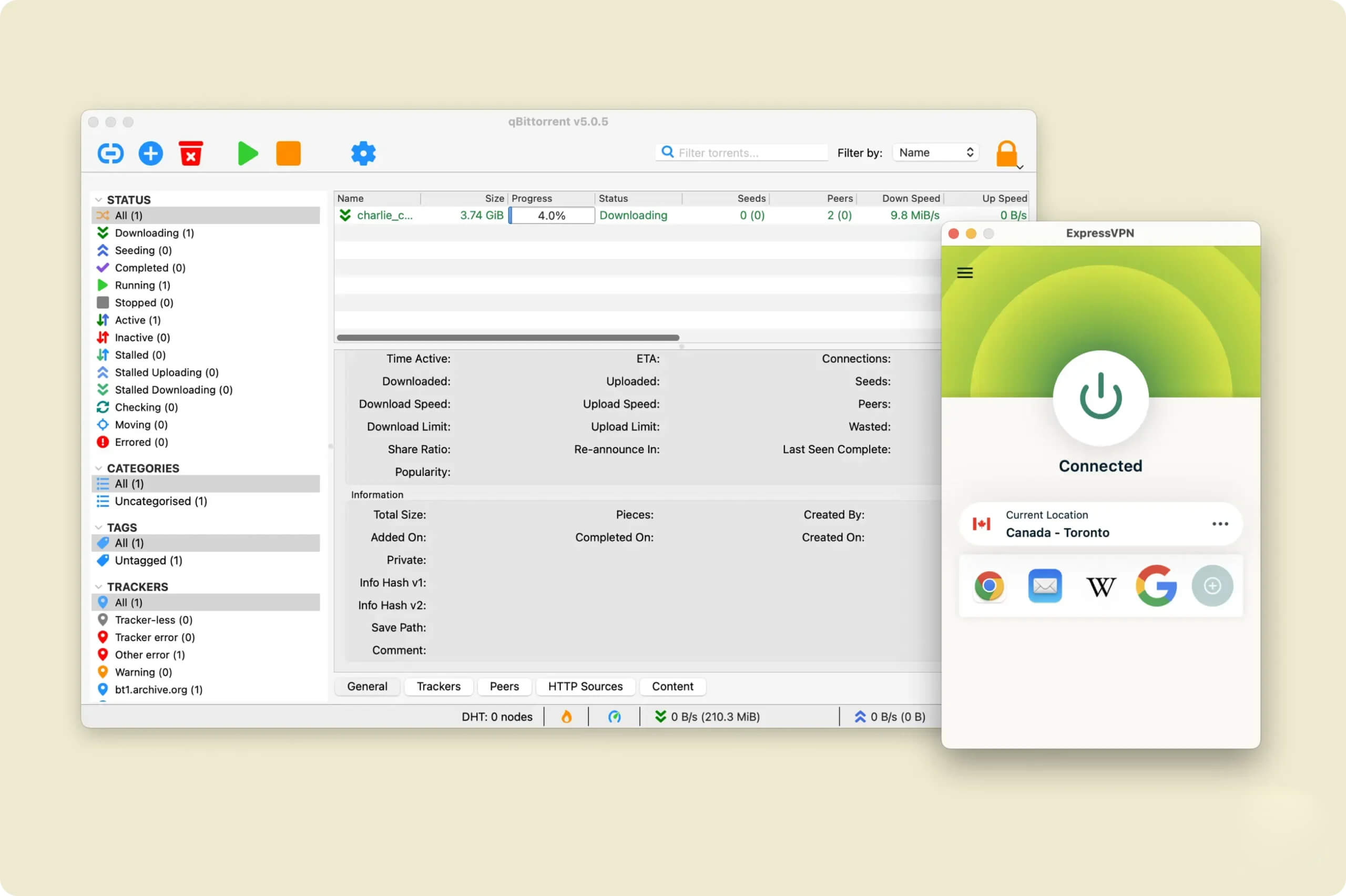
ExpressVPN’s file-sharing speeds are among the best.
One common criticism of ExpressVPN is the lack of port forwarding. In practice, it’s a useful extra but not essential, and it won’t dramatically affect your P2P speeds in most cases. If port forwarding is a must-have for you, PIA is a good alternative.
For context, here’s how long it took us to download a 20GB file with various VPN services:
| VPN Service | Download Bitrate | Time Taken (20GB File) |
|---|---|---|
| No VPN | 10MiB/s | 32 minutes |
| ExpressVPN | 9.8MiB/s | 33 minutes |
| Surfshark | 8.7MiB/s | 37 minutes |
| CyberGhost | 3.9MiB/s | 81 minutes |
Device Compatibility
ExpressVPN is, without question, the most widely compatible VPN service available. In addition to its standard desktop and mobile apps, it offers an excellent browser-based router app and a Smart DNS proxy. ExpressVPN allows 10 simultaneous connections per subscription, which is in line with the industry average.
| Windows | Yes |
|---|---|
| Mac | Yes |
| iOS | Yes |
| Android | Yes |
| Linux | Yes |
| Amazon Fire TV | Yes |
| Android TV | Yes |
| Apple TV | Yes |
| Router | Yes |
| Chrome | Yes |
Simultaneous Connections: 10
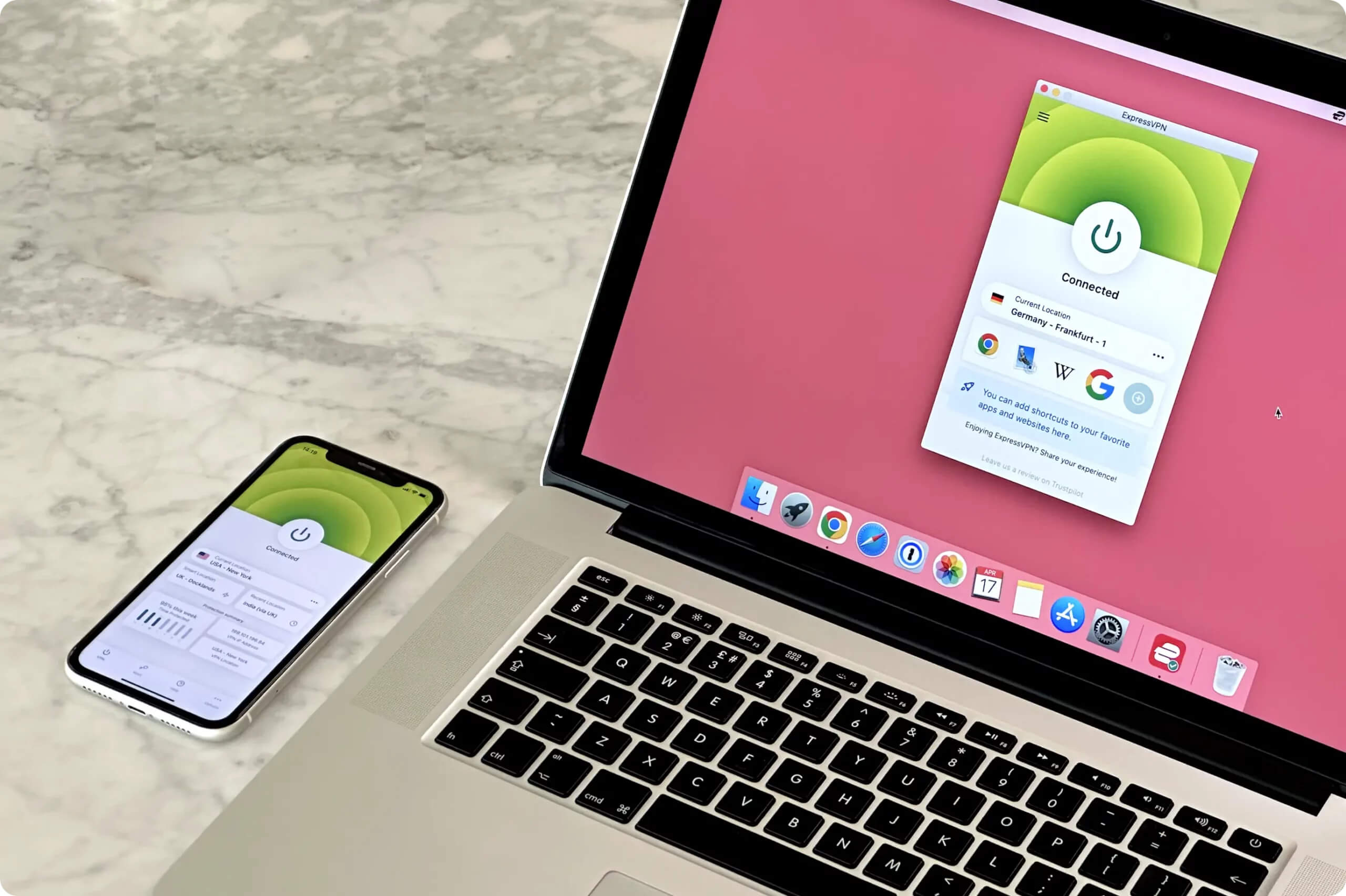
You can run ExpressVPN on several devices at once.
If you want to share your subscription with family or friends, keep in mind that ExpressVPN supports up to 10 devices connected at once. While this is perfectly reasonable, cheaper VPNs like PIA and Surfshark offer unlimited simultaneous connections.
An Outstanding & Unique Router App
We’ve been reviewing VPNs for years, and we’re still surprised by how few review sites emphasize ExpressVPN’s exceptional router app.
It’s the only VPN that offers a fully-featured, dedicated router app with its own interface and complete set of options. Because the app is browser-based, you can manage your VPN connection and switch servers through a web page on your laptop or phone just as easily as you can from the desktop app.
This gives you a level of device compatibility that no other VPN currently matches, since any device connected to your router is effectively connected to the VPN.
That means you can change your virtual location and encrypt your traffic on devices that don’t support VPN apps, like many Smart TVs and game consoles.
Additional Features
For a top-tier VPN, we’re slightly underwhelmed by ExpressVPN’s range of extra features. Its ad blocker is only average, and it lacks multi-hop servers and an Android GPS spoofing tool. However, we’ve always appreciated how clean and accessible its apps feel — especially compared to NordVPN and Surfshark, which often overwhelm you with extra features and constant promotions.
| Additional Feature | ExpressVPN |
|---|---|
| Split Tunneling | Yes |
| VPN Obfuscation | Yes |
| Multi-Hop Servers | No |
| Dedicated IP | Yes |
| Ad Blocker | Yes |
| Password Manager | Yes |
Anonymous Dedicated IP Feature
This add-on lets you connect to a server with an IP address that’s used only by you, unlike standard VPN IPs that are shared by many users.
When setting up your dedicated IP, ExpressVPN uses zero-knowledge encryption and a blind token system to protect your privacy. In simple terms, this stops the VPN from seeing your unique activation code or linking it to your account.
Unfortunately, this is not the industry standard. NordVPN states in its privacy policy that it links your dedicated IP address to your account.
Threat Manager Performs Adequately
All of ExpressVPN’s apps include an ad and tracker blocker called Threat Manager.
In our tests, Threat Manager blocked only 60% of ads and trackers. Private Internet Access and NordVPN blocked 100%.
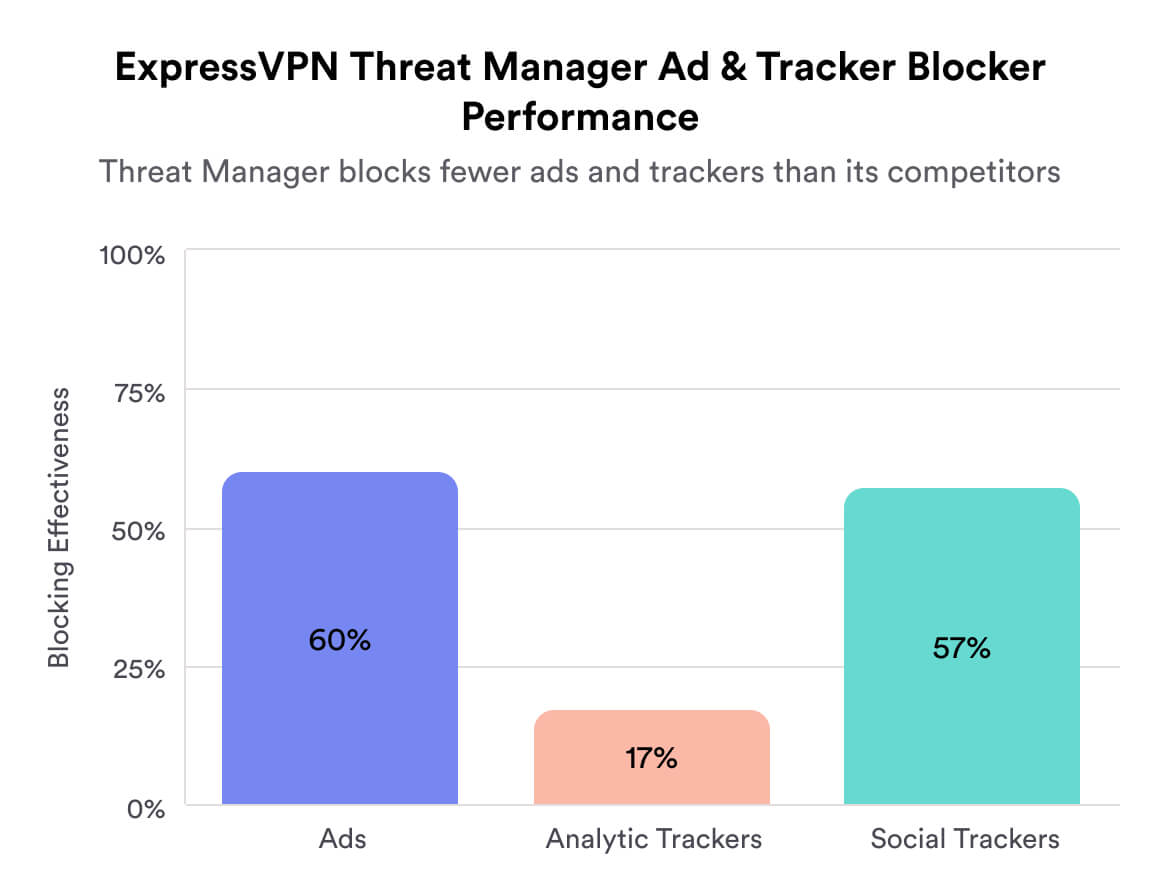
As it stands, Threat Manager is a useful feature that enhances protection of your web activity from data profiling, but there are more effective alternatives available.
ShuffleIP Makes Tracking Harder
All VPNs assign you a new IP address when you first connect, but ExpressVPN goes a step further by changing your IP every time you open a new website or app.
This feature, known as ShuffleIP, makes it extremely difficult for anyone to track your online activity or collect data about your browsing habits.
You won’t even notice this happening, as the feature runs automatically in the background without interrupting your connection.
ExpressVPN Key Data
| Attribute | ExpressVPN | Typical VPN |
|---|---|---|
| Owner | Kape Technologies | Independent |
| Launch Date | 2009 | 2015 |
| Local Download Speed | 98Mbps (2% loss) | 89Mbps (11% loss) |
| International Download Speed | 85Mbps (15% loss) | 80Mbps (20% loss) |
| Countries with Servers | 109 | 40 |
| Privacy Policy | No Identifiable Data | Identifiable Data |
| Simultaneous Connections | 10 | 10 |
| Netflix Libraries | 18 | 3 |
| Torrenting | Yes | Yes |
| Works In China? | Yes | No |
| Cheapest Price | 3.49/mo over 28 months | $3.87/mo over 24 months |
| Customer Support | 24/7 Live Chat | |
| Apps & Extensions |
          |
|
Price
Price Plans
| 1 month | $12.99 |
|---|---|
| 15 months | $74.85 ($4.99/mo) |
| 28 months | $97.72 ($3.49/mo) |
Free Trial
| Money-Back Guarantee | 30 days |
|---|---|
| Free Trial | 7 days (mobile only) |
| 100% Free Plan | No |